

MCP Server
Use the Webhook Relay MCP server to manage buckets, webhook logs, transform functions, and cloud service connections from AI agents.
Overview
Webhook Relay provides an MCP (Model Context Protocol) server that lets AI agents manage your webhook infrastructure programmatically.
You can configure and access MCP from:
The MCP API endpoint is:
https://my.webhookrelay.com/v1/mcp
Authentication
Authenticate requests with a Bearer token in the Authorization header:
Authorization: Bearer <token>
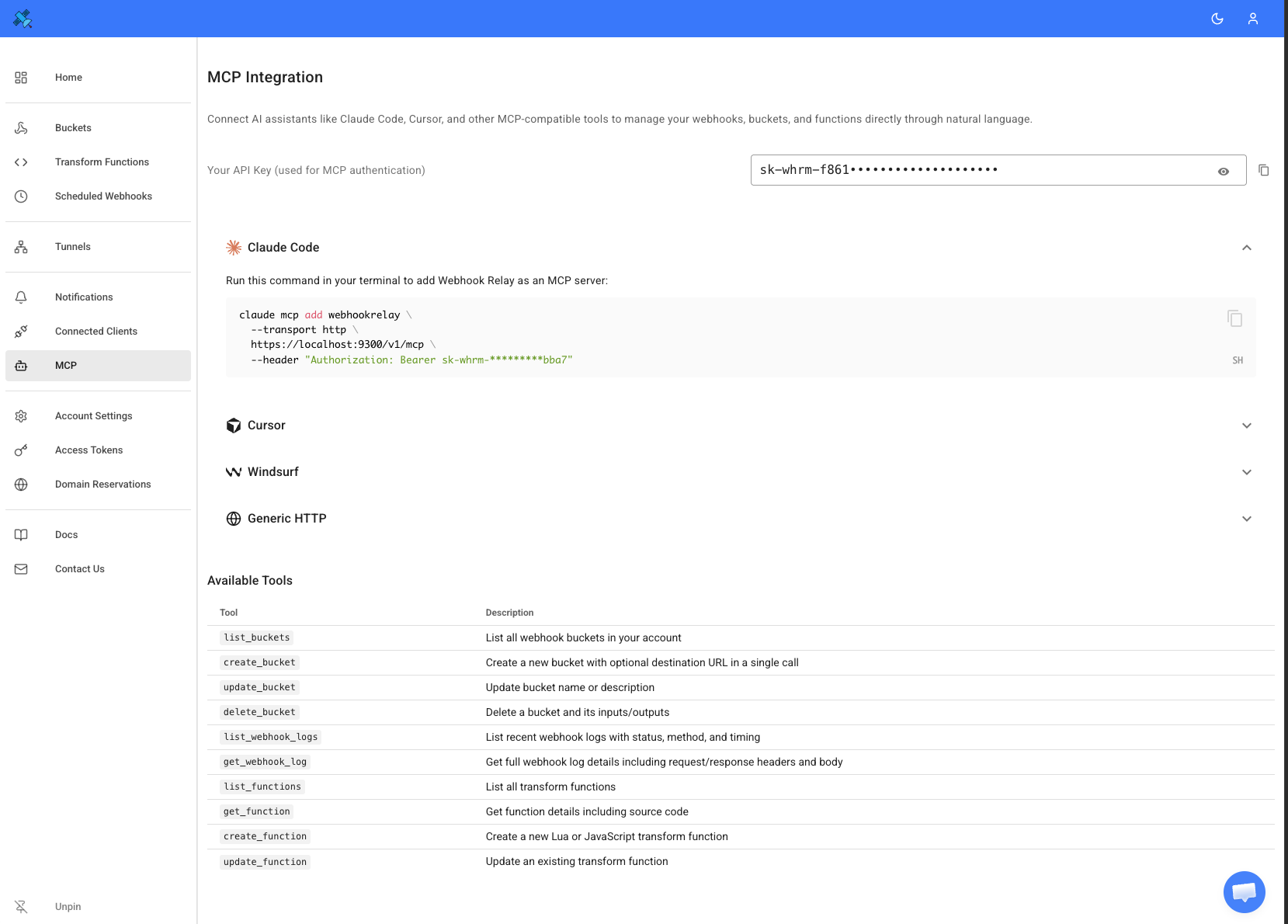
Configure MCP in Webhook Relay
Open the MCP page in your Webhook Relay account and use the provided configuration values in your MCP client or agent:
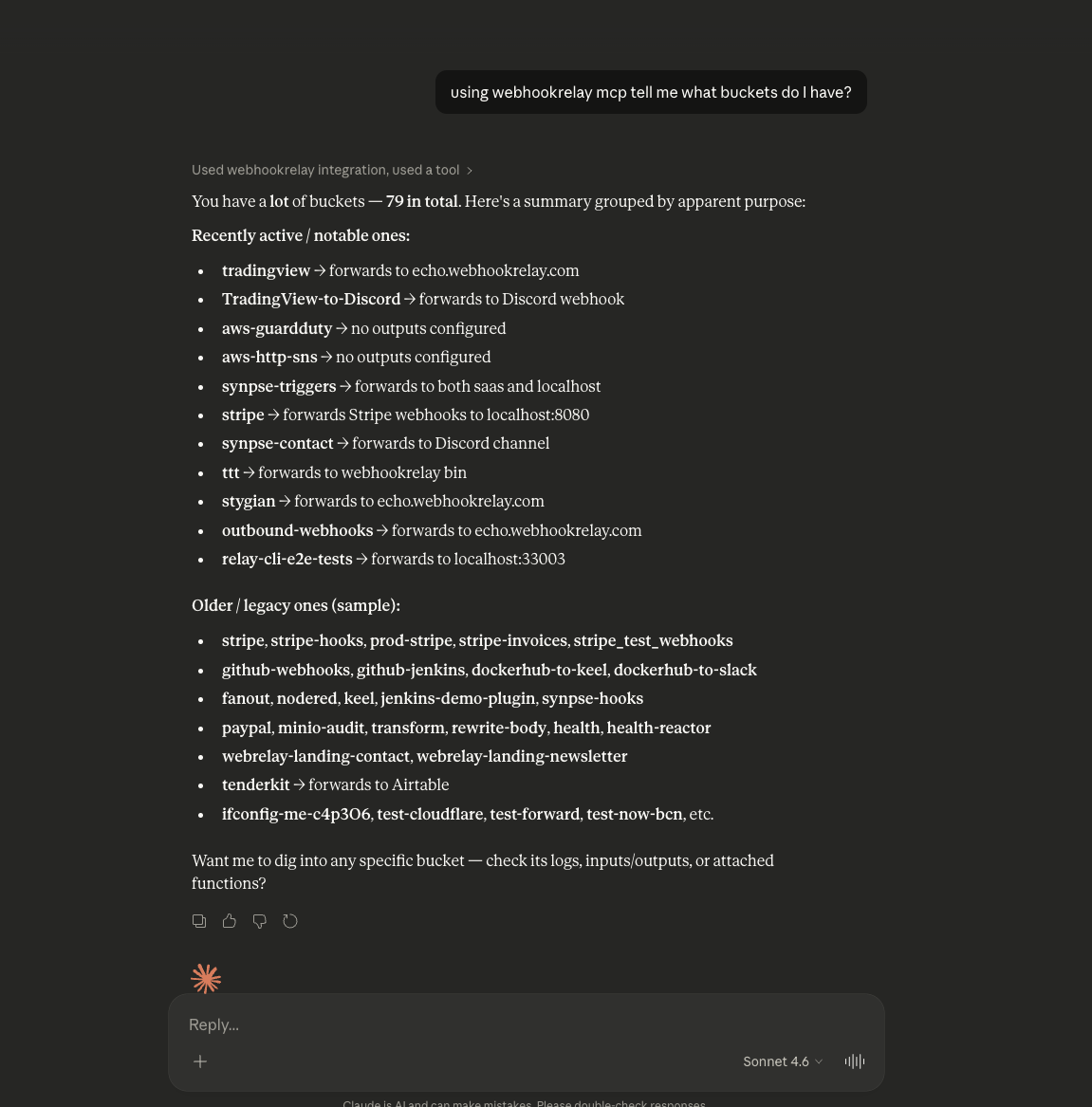
Connect Claude.ai
In your Claude.ai settings click to add a new connection, name it webhookrelay and set URL to https://my.webhookrelay.com/v1/mcp.
Once added, click "connect", this will authenticate your account. Try asking questions like "list all buckets" or "create a new bucket".
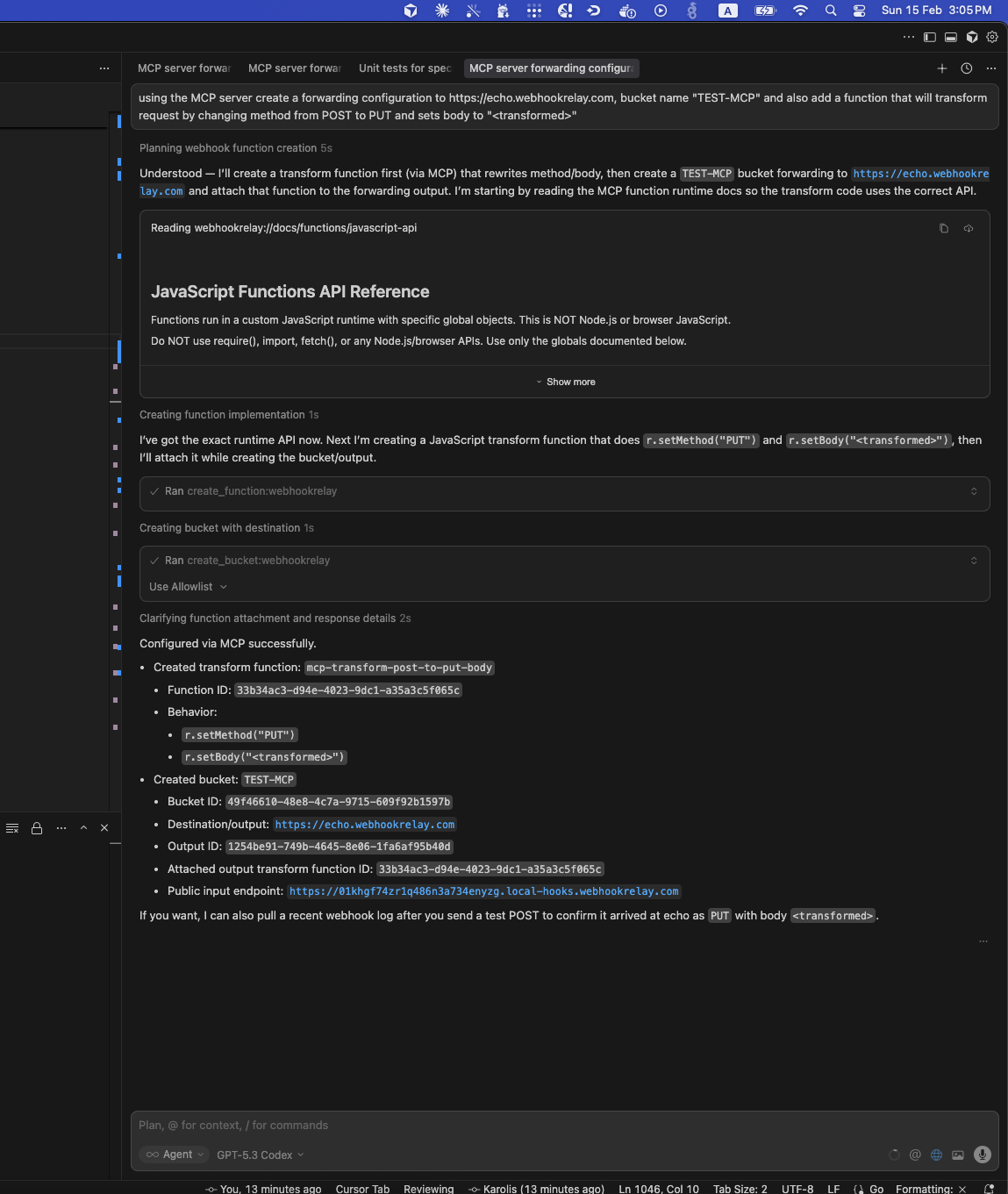
Use MCP from an Agent
Once configured, your agent can call MCP tools to create and manage buckets, inspect webhook logs, and work with transform functions:
Resource
The MCP server exposes the following resource:
| URI | Description |
|---|---|
webhookrelay://docs/functions/javascript-api | Complete API reference for writing JavaScript transform functions. Covers the request object (r), config (cfg), HTTP client, crypto, time, BigQuery, and Mailgun modules. |
Tools
Bucket Management
| Tool | Description | Params |
|---|---|---|
list_buckets | List all webhook buckets for the account, including their inputs (public endpoints) and outputs (forwarding destinations). | None |
create_bucket | Create a new bucket with a public endpoint. Optionally create an output in the same call by providing a destination URL. Returns the public webhook URL. Supports attaching transform functions at creation time via input_function_id and output_function_id. | name (required), description, destination, internal, input_function_id, output_function_id |
update_bucket | Update a bucket's name or description. | id (required), name, description |
delete_bucket | Delete a bucket and all its inputs/outputs (destructive). | id (required) |
Webhook Logs
| Tool | Description | Params |
|---|---|---|
list_webhook_logs | List webhook logs in summary format (status, method, timestamp, duration). Read-only. | bucket_id, limit (default 20, max 100), offset |
get_webhook_log | Get full details of a single webhook log including request/response headers and body. Read-only. | id (required) |
Transform Functions
| Tool | Description | Params |
|---|---|---|
list_functions | List all transform functions in the account. Read-only. | None |
get_function | Get a function's full details including source code. Read-only. | id (required) |
create_function | Create a new transform function. Supported drivers: lua, js. | name (required), driver (required), code (required) |
update_function | Update an existing function's name, driver, or code. | id (required), name, driver, code |
execute | Execute a transform function with a synthetic request payload. Useful for testing functions before attaching them. | function_id (required), method, headers, body |
Function Attachments
| Tool | Description | Params |
|---|---|---|
attach_function | Attach a transform function to an input or output so it processes webhooks in transit. | resource_type (input or output), resource_id (required), function_id (required) |
detach_function | Detach a transform function from an input or output. | resource_type (input or output), resource_id (required) |
Service Connections
| Tool | Description | Params |
|---|---|---|
list_service_connections | List all service connections (GCP, AWS, Azure) for the account. Read-only. | None |
get_service_connection | Get details of a specific service connection. Read-only. | id (required) |
create_service_connection | Create a new service connection to a cloud provider. | name (required), provider (required), credentials (required) |
update_service_connection | Update a service connection's name or credentials. | id (required), name, credentials |
delete_service_connection | Delete a service connection (destructive). | id (required) |
Service Connection Inputs
| Tool | Description | Params |
|---|---|---|
list_service_connection_inputs | List cloud event subscription inputs for a bucket. Read-only. | bucket_id (required) |
create_service_connection_input | Subscribe to cloud events (PubSub, SQS, SNS, S3, GCS) and forward them into a bucket. | bucket_id (required), service_connection_id (required), subscription (required) |
delete_service_connection_input | Delete a service connection input from a bucket (destructive). | bucket_id (required), input_id (required) |
Service Connection Outputs
| Tool | Description | Params |
|---|---|---|
list_service_connection_outputs | List cloud service outputs for a bucket. Read-only. | bucket_id (required) |
create_service_connection_output | Forward webhooks from a bucket to cloud services (PubSub, SQS, SNS, S3, GCS). | bucket_id (required), service_connection_id (required), destination (required) |
delete_service_connection_output | Delete a service connection output from a bucket (destructive). | bucket_id (required), output_id (required) |
Key Concepts
- Bucket: A logical container grouping one or more inputs with one or more outputs.
- Input: A public endpoint (URL) that receives webhooks from third parties.
- Output: A destination URL where received webhooks are forwarded. Set
internal=truefor localhost destinations (requires a local relay agent). - Function: A Lua or JavaScript snippet that transforms webhooks in transit. Functions are attached to inputs (runs before routing) or outputs (runs before forwarding).
- Service Connection: Credentials for a cloud provider (GCP, AWS, Azure) that enable cloud event subscriptions (inputs) and cloud service forwarding (outputs).
Important Behavior for JavaScript Functions
Before creating or updating JavaScript transform functions, agents must first read:
webhookrelay://docs/functions/javascript-api
JavaScript transforms run in a custom runtime. They must mutate the global r object directly, and standard Node.js/browser APIs are not available.