

GCP Pub/Sub
Subscribe to Google Cloud Pub/Sub topics and publish webhook data to Pub/Sub using Webhook Relay service connections.
Connect Webhook Relay to Google Cloud Pub/Sub to receive messages from subscriptions (input) or publish webhook data to topics (output).
Prerequisites
- A GCP service connection with a service account that has Pub/Sub permissions
- A Pub/Sub topic and subscription in your GCP project
GCP Roles
For Pub/Sub Input (subscribe):
roles/pubsub.subscriber— the subscription must already exist in your project
For Pub/Sub Output (publish):
roles/pubsub.publisher
Pub/Sub Input — Receive Messages from a Subscription
Pub/Sub inputs subscribe to an existing subscription and relay messages into your Webhook Relay bucket. Messages are auto-acknowledged after successful relay. Message data and attributes are wrapped in a JSON envelope.
Configuration
| Field | Required | Description |
|---|---|---|
subscription_name | Yes | Pub/Sub subscription name (must already exist in the project) |
The subscription must be pre-created in your GCP project before adding it as an input. Webhook Relay does not create subscriptions automatically.
Pub/Sub Output — Publish Webhooks to a Topic
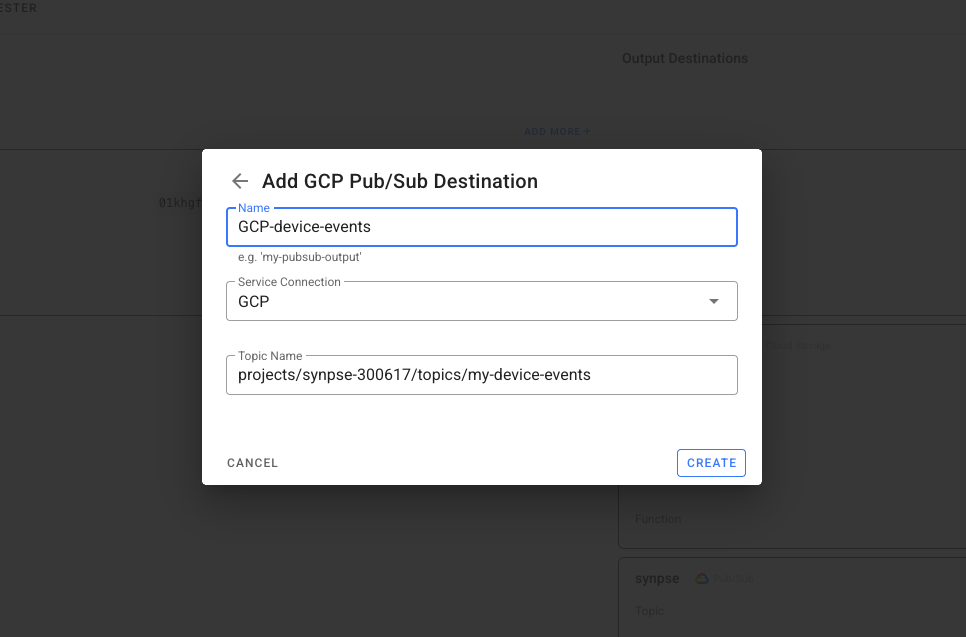
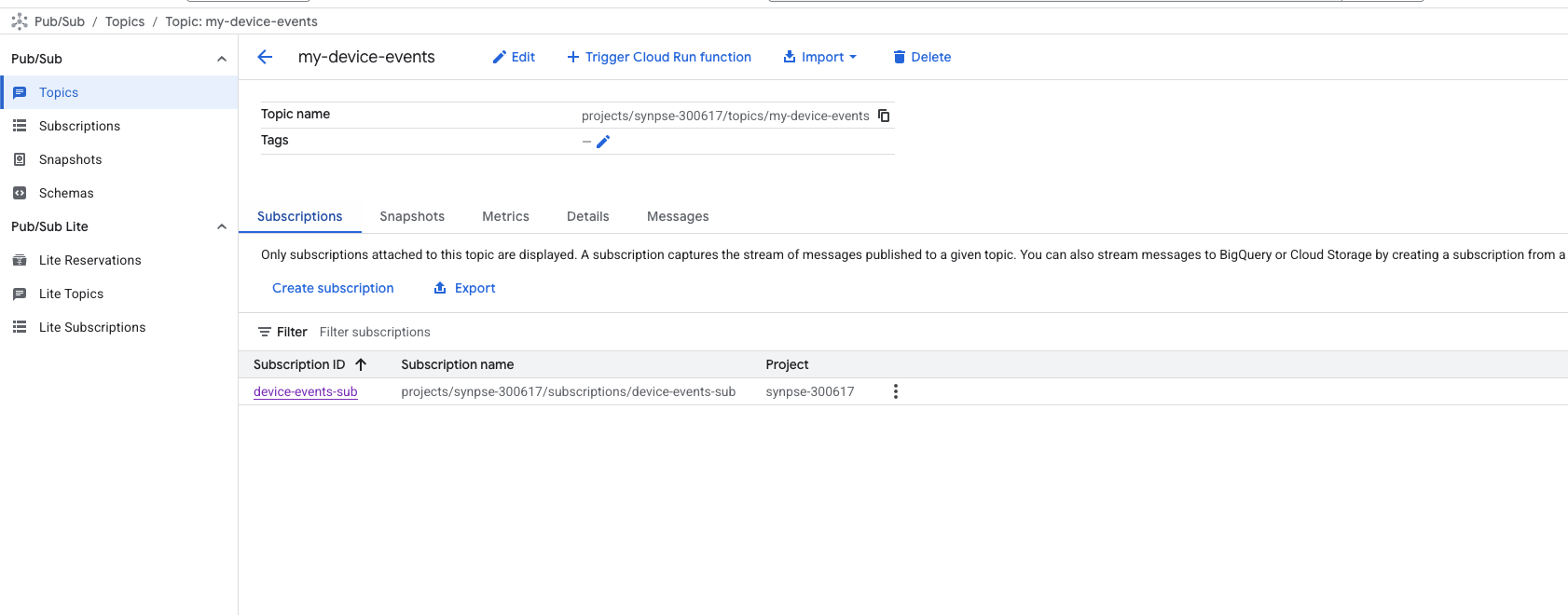
Pub/Sub outputs publish incoming webhook data as messages to your Pub/Sub topic. The topic must already exist in your project. You can find them in your "Pub/Sub" section in the GCP console:
Configuration
| Field | Required | Description |
|---|---|---|
topic_name | Yes | Pub/Sub topic name |
Example: Bridge AWS SQS to GCP Pub/Sub
Route messages from an AWS SQS queue into a GCP Pub/Sub topic. This is ideal for migrating workloads across cloud providers or running multi-cloud architectures:
- Create an AWS service connection with SQS read permissions
- Create a GCP service connection with Pub/Sub publisher permissions
- Create a bucket in Webhook Relay
- Add an AWS SQS input on the bucket
- Add a GCP Pub/Sub output on the bucket
Messages polled from SQS are automatically published to your Pub/Sub topic.
Transform Between Formats
Attach a Function to adapt the message format. For example, convert an SQS message into a structured Pub/Sub payload:
const sqsMessage = JSON.parse(r.body)

// Restructure for Pub/Sub consumers
const pubsubPayload = {
    source: "aws-sqs",
    original_message_id: sqsMessage.MessageId,
    data: sqsMessage.Body,
    bridged_at: new Date().toISOString()
}

r.setBody(JSON.stringify(pubsubPayload))
See the JSON encoding guide for more transformation examples.
Example: Pub/Sub to Any HTTPS Endpoint
Deliver Pub/Sub messages as webhooks to any API that accepts HTTPS requests. This works well for services without native GCP integration:
- Create a GCP service connection
- Create a bucket with a Pub/Sub input
- Add a public destination (any HTTPS URL)
Use a Function to add authentication or transform the payload before delivery:
const message = JSON.parse(r.body)

// Forward only the message data, add auth header
r.setBody(message.data)
r.setHeader("Authorization", "Bearer " + cfg.get("API_TOKEN"))
r.setHeader("Content-Type", "application/json")
See configuration variables for how to securely store API tokens in functions.
Example: Pub/Sub to Localhost for Development
Receive Pub/Sub messages on your local machine during development — no need to deploy to GCP:
- Create a GCP service connection
- Create a bucket with a Pub/Sub input
- Add an internal destination pointing to
http://localhost:3000/webhook - Run the Webhook Relay agent locally
Messages from your Pub/Sub subscription are forwarded to your local server in real time.
Example: AWS SNS to GCP Pub/Sub
Publish AWS SNS messages to a Pub/Sub topic. Useful when your processing pipeline runs on GCP but events originate in AWS:
- Create an AWS service connection with SNS subscribe permissions
- Create a GCP service connection with Pub/Sub publisher permissions
- Create a bucket with an AWS SNS input and a GCP Pub/Sub output
Optionally add a function to filter or transform the SNS message before publishing to Pub/Sub.