

GCP Cloud Storage
Receive GCS object notifications as webhooks and upload webhook data to Google Cloud Storage using Webhook Relay service connections.
Connect Webhook Relay to Google Cloud Storage (GCS) to store incoming webhook data as GCS objects (output).
Prerequisites
- A GCP service connection with a service account that has Cloud Storage permissions
- A GCS bucket in your GCP project
GCP Roles
For GCS Output (upload objects):
roles/storage.objectCreator
GCS Output — Upload Webhook Data to Cloud Storage
GCS outputs store incoming webhook data as objects in your GCS bucket. Each webhook is saved as a separate file.
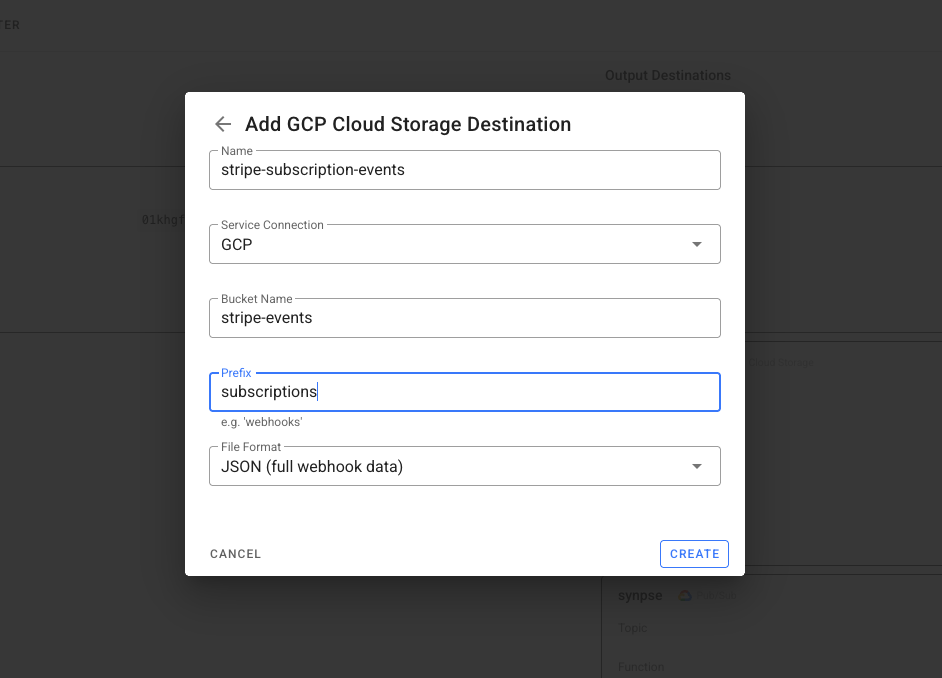
Configuration
| Field | Required | Description |
|---|---|---|
bucket_name | Yes | GCS bucket name |
prefix | No | Object name prefix (e.g. webhooks/) |
file_format | No | Storage format: json (default), body_only, har |
Object Path
Objects are stored with a date-based path:
{prefix}/{year}/{month}/{day}/{log_id}.json
For example: webhooks/2026/02/24/<WEBHOOK UUID>.json
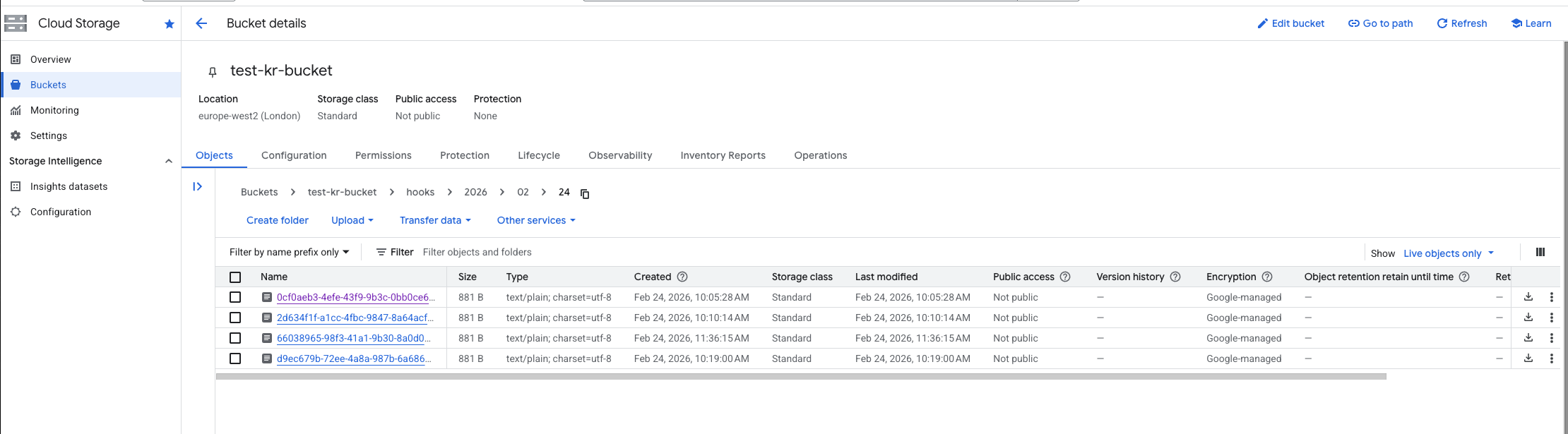
Example: Bridge AWS SNS to GCS
Archive AWS SNS notifications as objects in a GCS bucket. Useful when your storage and analytics are on GCP but events originate in AWS:
- Create an AWS service connection with SNS subscribe permissions
- Create a GCP service connection with GCS write permissions
- Create a bucket in Webhook Relay
- Add an AWS SNS input on the bucket
- Add a GCS output on the bucket
Every message published to the SNS topic is stored as an object in your GCS bucket.
Transform Before Storing
Use a Function to extract or reshape the data before writing to GCS:
const snsMessage = JSON.parse(r.body)

// Store just the message content with metadata
const archived = {
    source: "aws-sns",
    topic: snsMessage.TopicArn,
    message: JSON.parse(snsMessage.Message),
    timestamp: snsMessage.Timestamp
}

r.setBody(JSON.stringify(archived))
See the JSON encoding guide for more transformation examples.