

AWS SNS
Subscribe to Amazon SNS topics and publish webhook data to SNS using Webhook Relay service connections.
Connect Webhook Relay to Amazon SNS to subscribe to topics (input) or publish webhook data to topics (output).
Prerequisites
- An AWS service connection with credentials that have SNS and SQS permissions
- An SNS topic in your AWS account
IAM Permissions
For SNS Input (subscribe to topics):
sns:Subscribesns:GetTopicAttributessqs:CreateQueuesqs:SetQueueAttributessqs:ReceiveMessagesqs:DeleteMessagesqs:GetQueueUrl
SNS inputs require SQS permissions because Webhook Relay creates a dedicated SQS queue (
whr-sns-{input_id}) and subscribes it to your SNS topic. Messages are then polled from this queue.
For SNS Output (publish to topics):
sns:Publishsns:GetTopicAttributes
SNS Input — Subscribe to a Topic
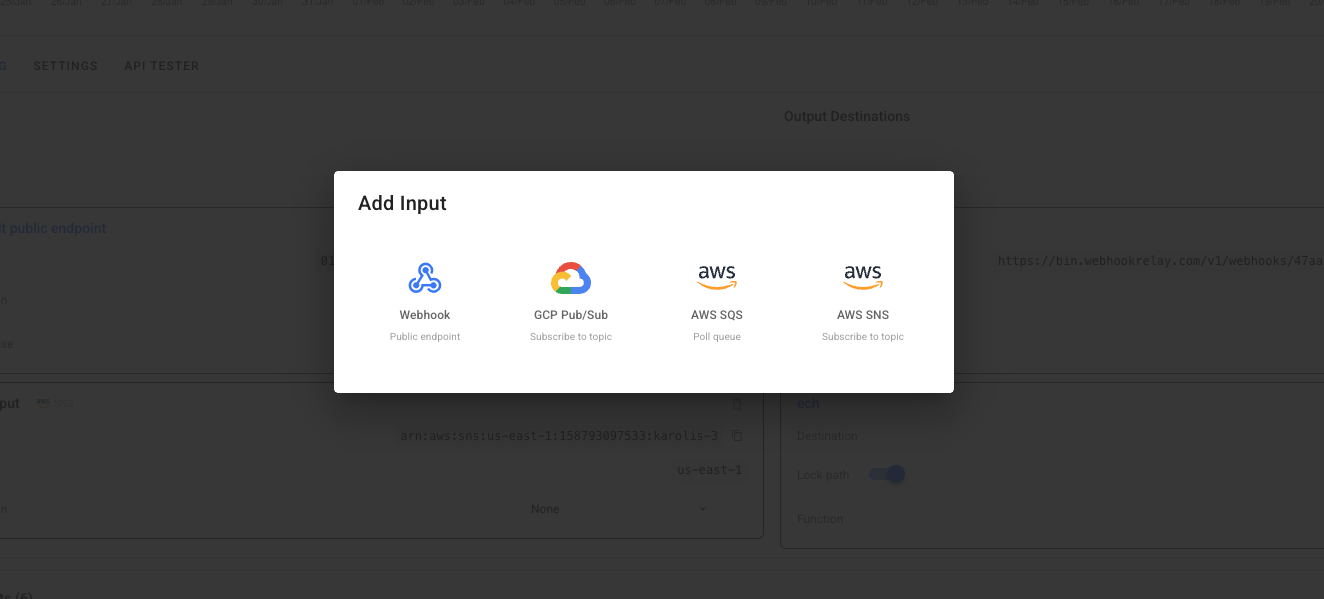
SNS inputs subscribe to your SNS topic and relay every published message into your Webhook Relay bucket. Internally, a dedicated SQS queue is created and subscribed to the topic, then polled for messages.
Configuration
| Field | Required | Description |
|---|---|---|
topic_arn | Yes | SNS Topic ARN (e.g. arn:aws:sns:us-east-1:123456789:my-topic) |
region | No | AWS region — auto-extracted from the ARN |
subscription_arn | Auto | Populated after the subscription is created |
ARN format: arn:aws[-cn|-us-gov]:sns:<region>:<account-id>:<topic-name>
SNS Output — Publish Webhooks to a Topic
SNS outputs publish incoming webhook data as messages to your SNS topic. This lets you fan out webhooks to all SNS subscribers (Lambda, SQS, email, HTTP endpoints, etc.).
Configuration
| Field | Required | Description |
|---|---|---|
topic_arn | Yes | SNS Topic ARN |
region | No | AWS region — auto-extracted from the ARN |
Example: Bridge GCP Pub/Sub to AWS SNS
Route messages from a GCP Pub/Sub subscription to your SNS topic — useful for triggering Lambda functions, sending notifications, or fanning out to multiple SQS queues:
- Create a GCP service connection with Pub/Sub subscriber permissions
- Create an AWS service connection with SNS publish permissions
- Create a bucket in Webhook Relay
- Add a GCP Pub/Sub input on the bucket (messages flow in)
- Add an AWS SNS output on the bucket (messages published to the topic)
Transform the Message
Use a Function to reshape the Pub/Sub message into a format your SNS subscribers expect:
const pubsubMessage = JSON.parse(r.body)

// Create a message your SNS subscribers can process
const notification = {
    source: "gcp-pubsub",
    topic: pubsubMessage.subscription,
    data: pubsubMessage.data,
    attributes: pubsubMessage.attributes,
    timestamp: new Date().toISOString()
}

r.setBody(JSON.stringify(notification))
See the JSON encoding and HTTP requests guides for more function examples.
Example: SNS to External HTTPS Webhook
While SNS natively supports HTTP/HTTPS subscriptions, Webhook Relay adds capabilities on top:
- Payload transformation — reshape the SNS message before delivery using Functions
- Authentication — add custom auth headers to outgoing requests
- Retry and logging — full delivery logs with automatic retries
- Multi-destination — forward to multiple HTTPS endpoints, SQS queues, S3, or GCP services simultaneously
- Create an AWS service connection
- Create a bucket with an SNS input pointing to your topic
- Add one or more public destinations
Example: AWS SNS to GCP Pub/Sub
Route SNS messages to a GCP Pub/Sub topic for cross-cloud event distribution:
- Create an AWS service connection with SNS subscribe permissions
- Create a GCP service connection with Pub/Sub publisher permissions
- Create a bucket with an SNS input and a GCP Pub/Sub output
Every message published to your SNS topic is automatically forwarded to the Pub/Sub topic, bridging AWS and GCP event systems.