
Debug OpenAI MCP Events Delivery with Webhook Relay
Trace OpenAI MCP Events from a source webhook to ChatGPT. Debug local handlers, subscription filters, signatures, retries, and callback delivery with Webhook Relay.
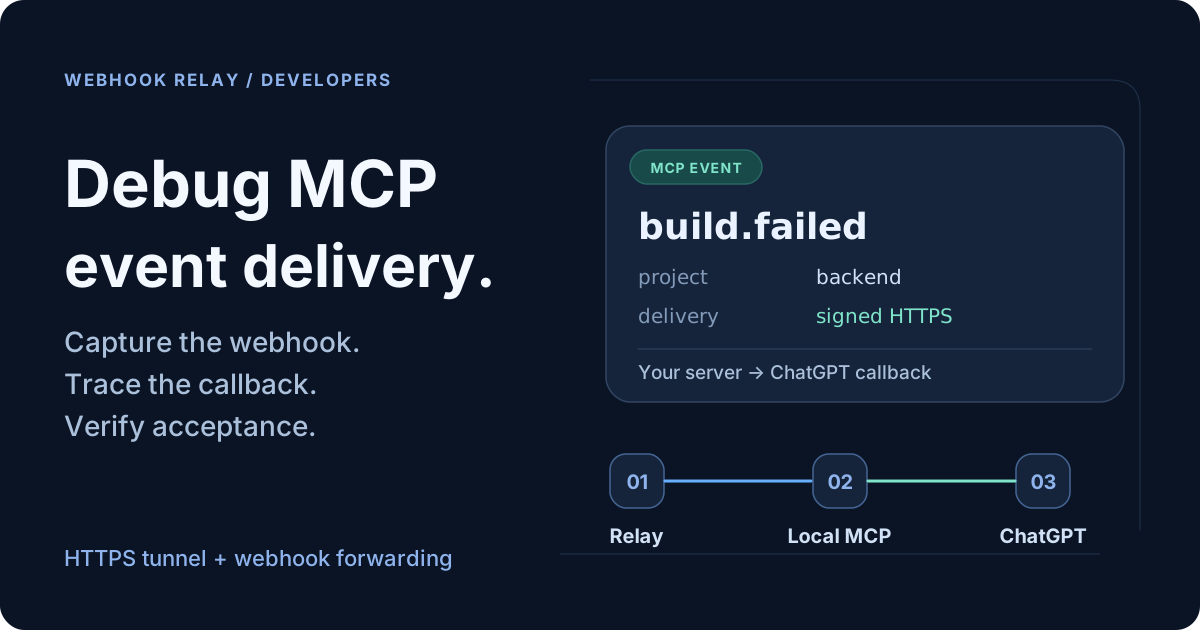
When a source webhook arrives but ChatGPT does nothing, you need to find where delivery stopped. Debug OpenAI MCP Events by checking the source request, local handler, subscription match, and signed callback separately. Webhook Relay captures and forwards the source webhook, while an HTTPS tunnel lets ChatGPT reach your local MCP server.
Imagine asking ChatGPT: “Watch failed builds in my backend project and explain each failure.” Your CI system sends a webhook and gets a successful response, but the explanation never appears. That response alone cannot tell you whether your adapter matched a subscription or whether the ChatGPT callback accepted an event.
This guide sets up a local debugging path, then shows what evidence to collect at each hop. You implement the MCP server and event adapter; Webhook Relay gives you source request visibility and network access to the local services.
Where MCP Events fits
MCP stands for Model Context Protocol. Events let ChatGPT subscribe to your application's updates. OpenAI's integration requires MCP 2.0, protocol version 2026-07-28, with webhook event delivery. See the official MCP Events guide.
For a CI integration, you might expose a custom build.failed event and a tool that reads build logs. The event tells ChatGPT which build changed; the tool supplies the detail needed to investigate it. The name and schema are yours to define.
Trace the three delivery paths
There are three paths in this setup:

Three routes, each with its own URL. Your application manages subscriptions; Webhook Relay provides the tunnel and source webhook transport.
The webhook handler and MCP endpoint can run in the same application. Separate ports here make their jobs easier to see.
| Connection | Purpose | What the caller needs back |
|---|---|---|
| HTTPS tunnel | Reach your local MCP endpoint | The MCP server's response |
| Forwarding bucket | Deliver provider webhooks to your handler | A webhook receipt acknowledgment |
| Outbound HTTPS | Deliver an MCP event to ChatGPT | The callback's acceptance response |
A forwarding bucket returns an acknowledgment by default. It does not return your MCP server's JSON-RPC response in that default configuration. Use a bidirectional tunnel for the MCP endpoint so discovery, tool calls, and subscription requests can receive their responses.
Find the hop where the event stopped
Start with one failed build and follow it through the pipeline. Use Webhook Relay's bucket logs for the incoming request and forwarded delivery. Add application logs for subscription matching and outbound callbacks; those direct callback requests do not pass through the forwarding bucket in this setup.
| Symptom | Evidence to check | Next step |
|---|---|---|
| No source request in the bucket | Provider delivery history and configured webhook URL | Confirm the provider sent the event to the printed input URL. |
| Request captured, local handler never sees it | Relay agent connection, forwarding destination, and delivery result | Check that the agent is running and the local port and path are correct. |
| Handler receives the request but rejects it | Signature verification result and raw request bytes | Check the provider secret and whether parsing or transformation changed the signed body. |
| Handler accepts the webhook but emits no MCP event | Active subscription, owner, project filter, expiration, and verification result | Confirm that the event matches a verified, authorized subscription. |
| Worker sends an event but the callback rejects it | Callback status, subscription ID, signature, and payload validation | Inspect the outbound request against the MCP event contract. |
Callback returns 2xx, but the expected action is missing | Subscribed chat and task behavior | Check processing separately from HTTP receipt. |
Carry the provider delivery ID into your application logs, then record the MCP eventId and subscription ID when you create an outbound delivery. Log each attempt's time, callback status, and outcome. That lets you distinguish “never emitted” from “emitted but rejected” without exposing signing secrets or sensitive payloads in logs.
Step 1: Expose your local MCP server over HTTPS
Start with an authenticated HTTP MCP server listening at http://localhost:3000/mcp. Follow OpenAI's MCP server build guide for the server and plugin setup. A tunnel provides network access; your application still handles authentication and user permissions.
Install the relay CLI, create a token on the Access Tokens page, and log in:
relay login -k YOUR_TOKEN_KEY -s YOUR_TOKEN_SECRET
Use a token with permission to create the tunnel and bucket used below. A read-only management token cannot create these resources.
In a separate terminal, expose the local server:
relay connect --name chatgpt-mcp --crypto flexible http://localhost:3000
--crypto flexible enables HTTPS at the public tunnel endpoint while connecting to your local server over HTTP. Copy the HTTPS hostname printed by the command and append /mcp. For example, if it prints https://YOUR-TUNNEL.webrelay.io, configure your plugin with:
https://YOUR-TUNNEL.webrelay.io/mcp
Use your actual printed hostname. Keep the tunnel agent and local server running while testing. The tunnel walkthrough explains the connection workflow.
Before investigating an event, confirm that your server receives discovery and subscription requests through this endpoint. If those requests never reach /mcp, troubleshoot the tunnel and MCP authentication first.
Step 2: Forward CI webhooks to your local handler
Start your application's provider webhook handler at http://localhost:3001/webhooks, then run another relay agent:
relay forward --bucket mcp-ci-events http://localhost:3001/webhooks
Copy the public input URL printed by this command into your CI provider's webhook settings. Use it exactly as printed; /webhooks is already part of the local destination configured above.
The agent receives requests over an outbound connection and delivers them to localhost. The bucket's input URL stays stable, so you can keep the provider configuration between development sessions. See localhost webhook forwarding.
At the handler, verify the provider's signature against the raw request body before parsing it. Keep forwarding transformations disabled on this path until verification is complete. After verification, normalize the payload into your application's build record and save it for processing. Our webhook signature guide covers the raw-body requirement.
For each test, compare the captured request with your handler's log entry. A request in the bucket proves it reached Webhook Relay; use the forwarding result and handler logs to establish what happened afterward.
Step 3: Implement the MCP subscription layer
Advertise events in server/discover; implement events/list, events/subscribe, and events/unsubscribe on the authenticated MCP endpoint. Persist subscriptions and allow outbound HTTPS. See OpenAI's event setup guide.
For this example, define build.failed with delivery: ["webhook"] and a project_id subscription argument. Its payload schema could contain project_id, build_id, status, and url. That gives your worker a simple routing rule: a failed build belongs to a project, and only subscriptions authorized for that project should receive it.
The draft MCP Events specification defines the subscription's callback URL and client-supplied signing secret. Store them alongside the authenticated owner, event name, filters, subscription ID, and expiration. Refresh an existing subscription without creating another delivery stream.
Use the callback from the subscription request. The tunnel URL identifies your server. The forwarding URL receives provider webhooks. Neither is the ChatGPT callback.
Verify the callback with a signed challenge before delivery. Enforce public HTTPS destinations at connection time and reject redirects. Follow the callback verification requirements.
Step 4: Map a failed build to an MCP event
Once the provider request is verified and normalized, the worker finds matching active subscriptions. For each match, construct an event that follows your advertised payload schema.
This JavaScript example illustrates the mapping only. It assumes build is your validated internal record; it is not a provider's native payload or a complete MCP server:
function failedBuildEvent(build) {
  if (build.status !== "failed") return null;

  return {
    eventId: `ci:${build.projectId}:${build.id}:failed`,
    name: "build.failed",
    timestamp: build.finishedAt,
    data: {
      project_id: build.projectId,
      build_id: String(build.id),
      status: "failed",
      url: build.url,
    },
    cursor: null,
  };
}
Here, finishedAt is an ISO 8601 timestamp with a timezone. The deterministic ID makes retries of the same failure identifiable. This example assumes one final failure per build; if your CI reuses build IDs for reruns, include an attempt identifier. cursor: null declares that this example offers no protocol replay. The event envelope and cursor semantics come from the draft event specification.
Serialize once and sign the exact bytes using Standard Webhooks and the stored secret. Set Content-Type: application/json, webhook-id to the event's eventId, and X-MCP-Subscription-Id to the stored subscription ID. Include the signing time in webhook-timestamp and signature in webhook-signature. Send directly to the saved callback. The draft's webhook delivery section defines the signing contract.
Keep provider verification and MCP signing separate: they authenticate different requests with different credentials.
Step 5: Verify delivery at each boundary
Connect the plugin and rescan your server. Ask ChatGPT to monitor failed builds for your project, then trigger a failure. Follow OpenAI's testing instructions.
Collect evidence at each boundary:
- The provider request appears in your Webhook Relay bucket.
- Your handler verifies and saves it.
- The worker finds the intended project's subscription.
- The callback accepts the signed event.
- The subscribed chat performs the requested action.
Then trigger an event from another project and check that your filter excludes it. Stop monitoring and confirm your worker stops sending for that subscription.
Also test a duplicate source request and a worker restart with a pending delivery. Check that deduplication prevents duplicate work and that your stored delivery resumes as intended. These are application behaviors to verify, rather than guarantees supplied by the tunnel.
Replay a source request and verify callback retries separately
Webhook Relay's captured source requests help you debug the adapter. Resend a captured request from the bucket logs after changing your mapping, but deduplicate the source delivery before creating more work. A timestamped provider signature may have expired by then; test delayed-delivery behavior without weakening production verification. Replaying a provider webhook is separate from implementing MCP cursor recovery.
Store pending outbound deliveries durably if events must survive a worker restart. A provider's successful response from the forwarding input confirms ingress acknowledgment; it does not prove ChatGPT received the resulting MCP event. Track callback delivery independently.
For callback retries, preserve the event ID and refresh the signing timestamp and signature. A 2xx acknowledges receipt, with processing happening asynchronously. Keep requests within 256 KiB and do not retry 410 or 413. See OpenAI's response handling guidance.
For team development, use separate test buckets or isolate subscription state. Forwarding a shared bucket to multiple agents can cause several local workers to process the same source request. Keep a durable worker online for ongoing monitoring after local testing ends.
Frequently asked questions
Does a successful provider webhook response prove ChatGPT received the event?
No. The provider response acknowledges the source request at the forwarding input. Check the local handler, subscription match, and outbound callback result separately. Even callback acceptance is a receipt acknowledgment; verify the requested action in the subscribed chat as a further step.
Do I need a tunnel for the ChatGPT callback?
In this architecture, the tunnel exposes your local MCP server. Your worker reaches the callback through outbound HTTPS, so that delivery leg needs no local public endpoint. If your MCP server is already publicly hosted, you can use webhook forwarding alone to develop the source adapter locally.
Can I point my CI webhook straight at the ChatGPT callback?
The CI webhook enters your adapter first. Your adapter verifies the provider request, selects authorized subscriptions, and constructs the event contract those subscriptions expect. It then signs a new request with the subscription credential. Forwarding transports the source request; this application logic connects it to the subscription.
Does Webhook Relay implement the MCP Events server for me?
This setup uses Webhook Relay for network transport. You implement the MCP endpoint, event definitions, subscription storage, and delivery worker. Keep those responsibilities in your application so your project permissions and event filters apply before sending an event.
Prove one delivery before adding more events
Choose one source event, such as a failed build, and one project filter. Capture the request, verify the local handler, record the subscription match, and check callback acceptance and the resulting ChatGPT action. Keep those outcomes separate in your logs so the next missing event has a clear starting point for investigation.
You can start with the relay CLI installation guide and OpenAI's MCP Events reference.