
Private and public destinations
Configure forwarding to private and public destinations. Send webhooks to both your staging and development environments.
Webhook Relay delivers webhooks from any provider to localhost, on-prem servers and private networks through an outbound agent connection — no public IP, no port forwarding, and a public URL that never changes. Stripe, GitHub, Shopify or your own app posts to your Webhook Relay endpoint; the relay agent forwards it to your laptop or internal service.
Provider
Stripe · GitHub · Shopify
POST invoice.paid
Webhook Relay
Your public endpoint
x7k2.hooks.webhookrelay.com
Your network · no inbound ports
Relay agent
relay forward
connected
Destination
localhost:8080
200 OK · 14ms
When developing locally, inspect payloads and responses in real-time to understand the event structure, what webhooks are being sent and received.
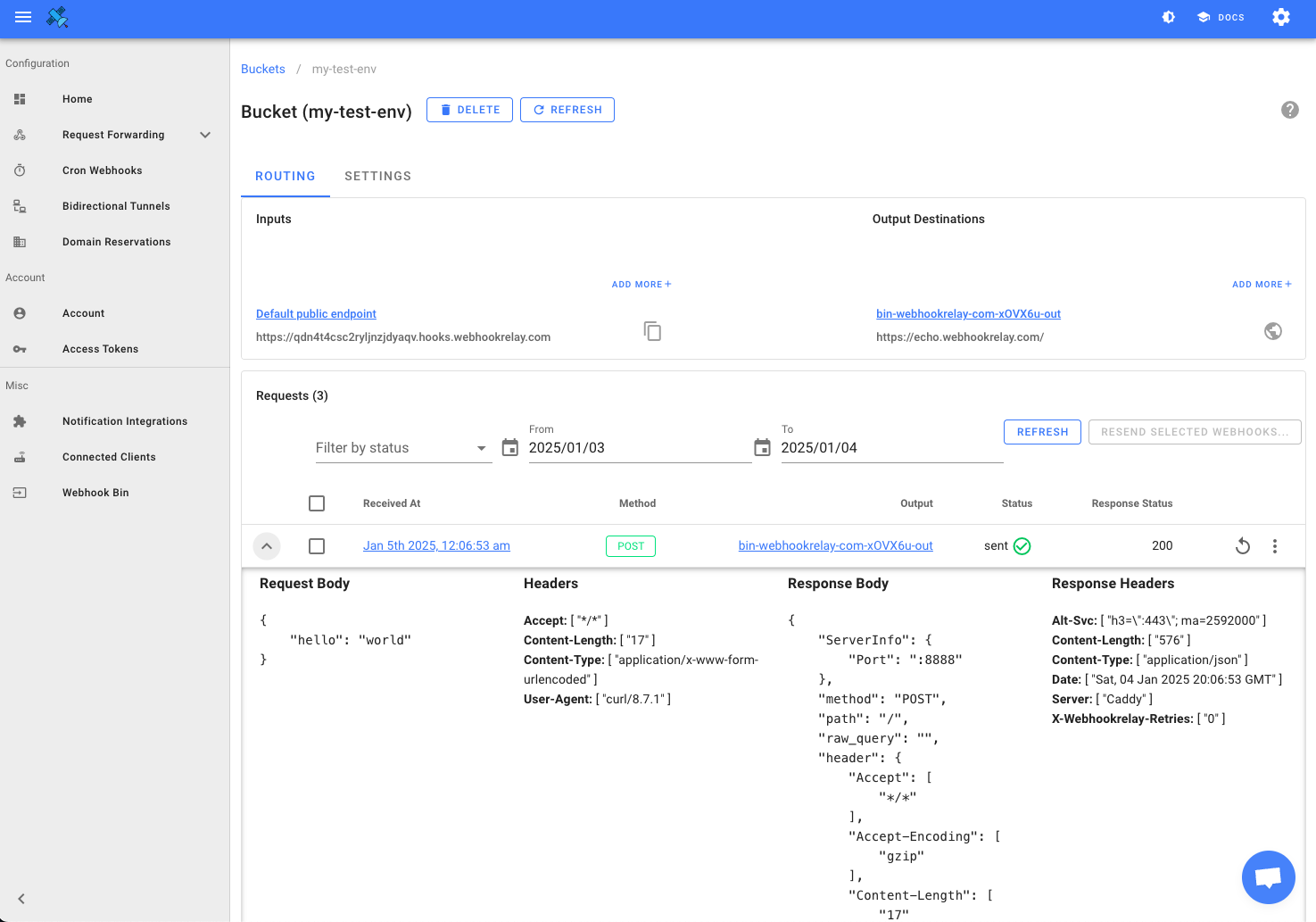
Configure forwarding to private and public destinations. Send webhooks to both your staging and development environments.
Multiple agents can connect to a single bucket. All your team members can connect to a bucket and receive the same webhooks. This allows seamless collaboration and testing.
Webhooks can trigger Functions to customize your workflows. Whether it's accessing 3rd party APIs or inserting into data warehouse, choice is yours.
https://my-app.hooks.webhookrelay.com. Paste it into Stripe, GitHub, Shopify or any provider once.relay agent (a single binary for macOS, Linux and Windows, or Docker) and run relay forward -b my-app http://localhost:3000/webhooks.Exact commands: receive webhooks on localhost with the relay CLI. Weighing the options? See five ways to receive webhooks on localhost and the ngrok alternatives comparison.
A tunnel such as ngrok exposes your whole local server on a temporary hostname. Webhook Relay forwarding is purpose-built for webhooks: the URL is permanent, requests are kept and retried while you are offline, the whole team can subscribe to the same bucket, and payloads can be filtered or transformed before they reach your code. If you do need to expose a complete service, Webhook Relay also provides tunnels.
| Webhook Relay forwarding | ngrok-style tunnel | |
|---|---|---|
| Public URL stays the same | Yes — permanent per bucket | Often a new hostname per session |
| Works while your laptop is offline | Yes — stored and retried for up to 30 days | No — the provider gets an error |
| Whole team receives the same events | Yes — many agents per bucket | No — one tunnel, one machine |
| Filter or transform before delivery | Yes — rules and functions | No |
| Exposes your full local server | No — webhooks only | Yes |
| Replay a webhook after a fix | Yes — from the logs, or on reconnect | No |
Install the relay CLI, run relay forward -b my-bucket http://localhost:3000/webhook, and give the bucket's public URL to the provider. Webhooks arrive on your laptop over the agent's outbound connection. The URL is permanent, so you configure the provider once.
No. Each bucket has a permanent public endpoint. Restart the agent, reboot, or switch machines and the same URL keeps working — unlike free tunnel tools that assign a new hostname per session.
Yes. Any number of agents can subscribe to the same bucket, so every developer gets every event on their own machine, and a staging server can receive them at the same time.
To deliver to localhost you run the relay agent — a single binary for macOS, Linux and Windows, or a Docker image. To only inspect payloads, use the free Webhook Bin with no install and no account.
ngrok exposes a full local server on a temporary hostname. Webhook Relay forwarding is purpose-built for webhooks: a persistent URL, storage and retries while you are offline, team broadcast, and optional filtering and transformation. Webhook Relay also provides tunnels for when you need to expose a complete service.
Yes. Every request is logged; resend any of them from the dashboard, or have missed webhooks replayed automatically when the agent reconnects.
Connect a source, pick a destination, and Webhook Relay handles delivery, retries and transforms. Set up your first webhook in under five minutes.
Free plan · No credit card required · 7-day money-back guarantee on paid plans