Alerts
Define alert policies on your buckets, choose where to get notified (Email, Slack, Discord, Teams, Telegram, Pushover, SMTP or webhook), and Webhook Relay opens and resolves incidents when delivery fails.
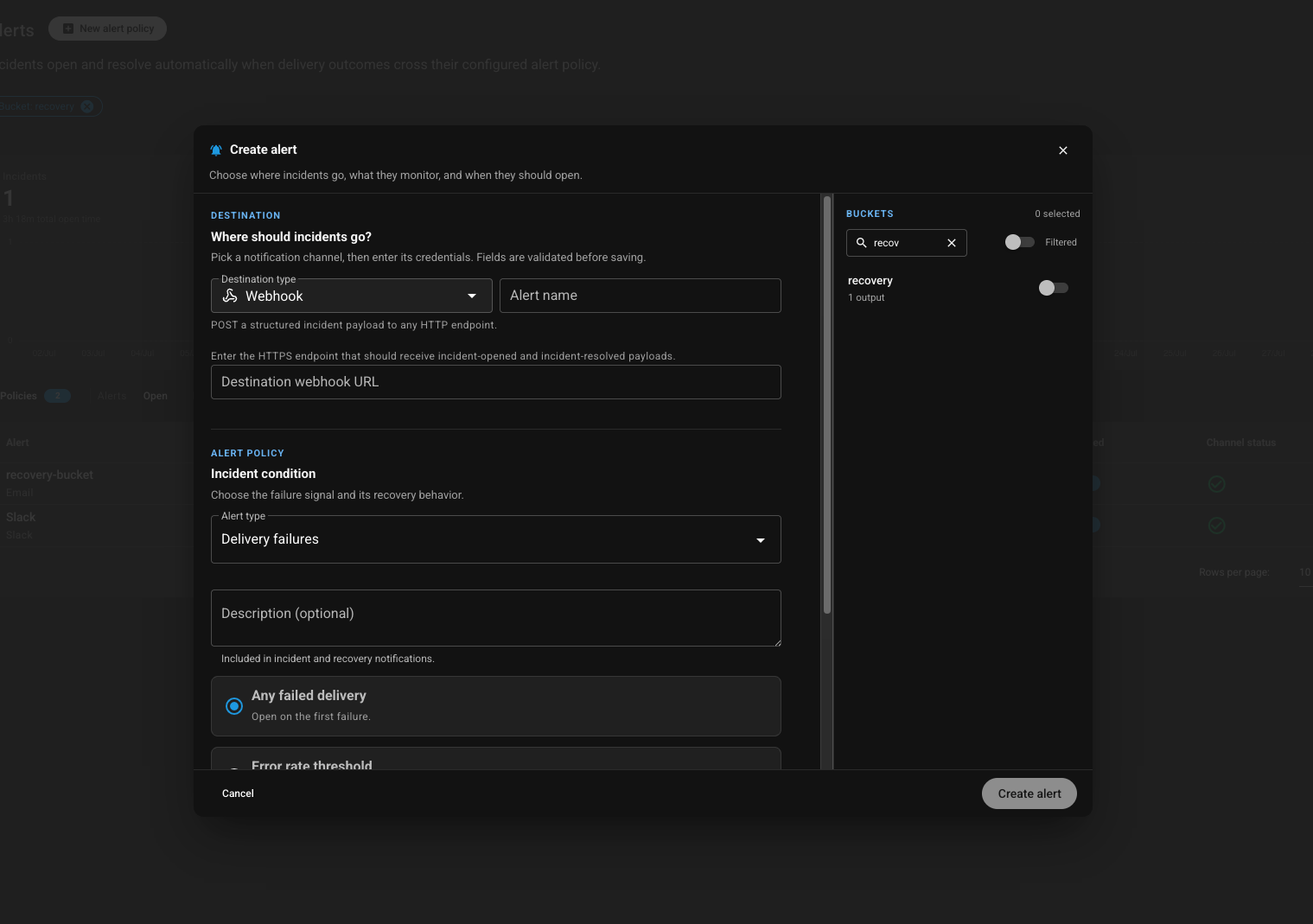
Define alert policies on the buckets you care about, pick where incidents should go, and Webhook Relay will notify you when a delivery problem starts — and clear it when things recover.
How it works
- Choose a destination — pick a notification channel and enter its credentials (fields are validated before saving).
- Set the policy — for example delivery failures: open an incident on the first failed delivery, or only when the error rate crosses a threshold.
- Select buckets — attach the policy to one or more buckets so only the traffic you care about is watched.
When delivery outcomes cross that policy, an incident opens. When delivery recovers, the incident resolves automatically — no manual cleanup.
Where should incidents go?
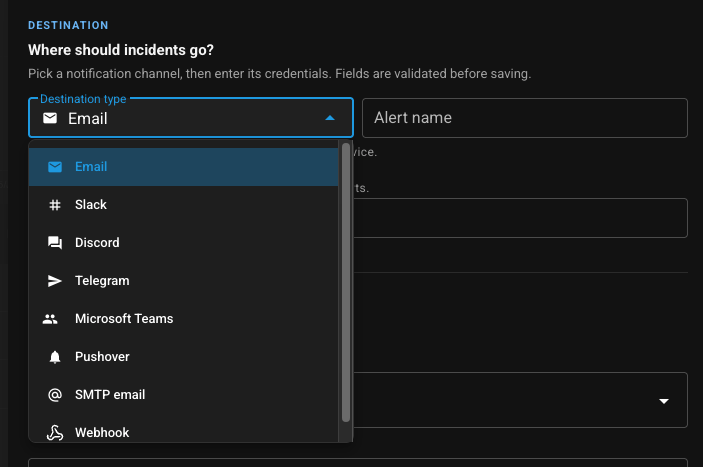
Send incidents to the tools your team already watches. Supported destination types:
- Email — inbox notifications
- Slack — channel posts for your on-call or eng channel
- Discord — server / channel webhooks
- Telegram — bot messages
- Microsoft Teams — channel notifications
- Pushover — mobile push for on-call
- SMTP email — your own mail server
- Webhook — POST a structured incident payload to any HTTPS endpoint (PagerDuty, Opsgenie, custom bots, …)
You can define multiple destinations — for example Slack for the team and a webhook into your incident tool — so the same policy fans out when something breaks.
What you get notified about
- Failed deliveries — your endpoint returned an error, timed out, or could not be reached
- Error-rate thresholds — optional: only fire when failures pile up, not on a single blip
- Open and resolved events — structured payloads for both, so on-call tools can open and close tickets cleanly
Incidents
When a policy condition is met, Webhook Relay opens an incident for that bucket.
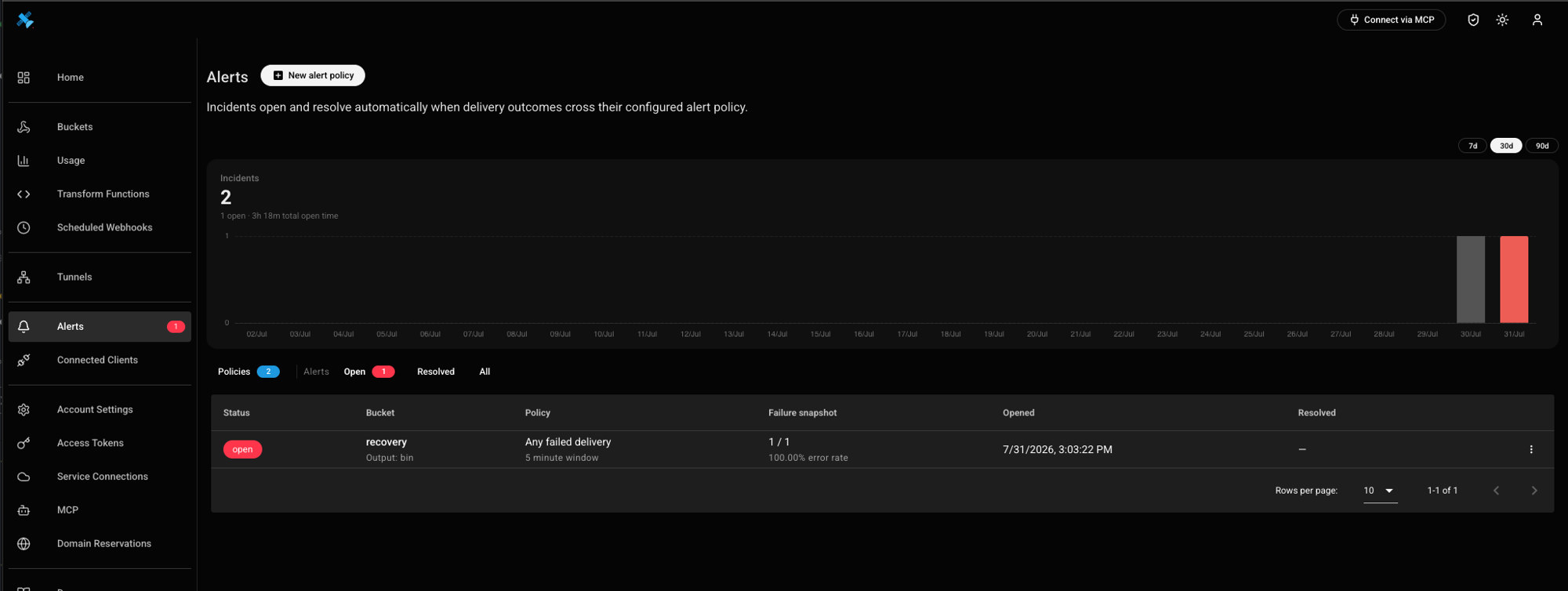
Incidents close automatically once delivery recovers (full rolling window without failures and at least one success), or you can resolve them manually. Open and past incidents stay on the Alerts page — filter Open / Resolved / All and revisit failure snapshots anytime. Setup details: Alerts docs.
Why use alerts
- Know before customers do — failures show up in Slack or your pager, not in a support ticket hours later
- Less noise than DIY scripts — policies and auto-resolve replace one-off cron checks and response-function hacks
- Scoped to what matters — attach policies to specific buckets instead of alerting on the whole account
- Pairs with observability — dig into the exact failure with webhook logs & monitoring, then replay with durable retries
For step-by-step setup, see the Alerts docs. For one-off custom logic (e.g. alert only when a payload field is wrong), use alerting from functions. Built-in Alerts cover the common case: delivery health, without writing code.
Create a free account and add your first alert policy — or talk to sales if you need help wiring notifications into your on-call stack.