Team Member Roles
Control what each collaborator can see and do in your Webhook Relay organization with Admin, Billing, Member and Viewer roles.
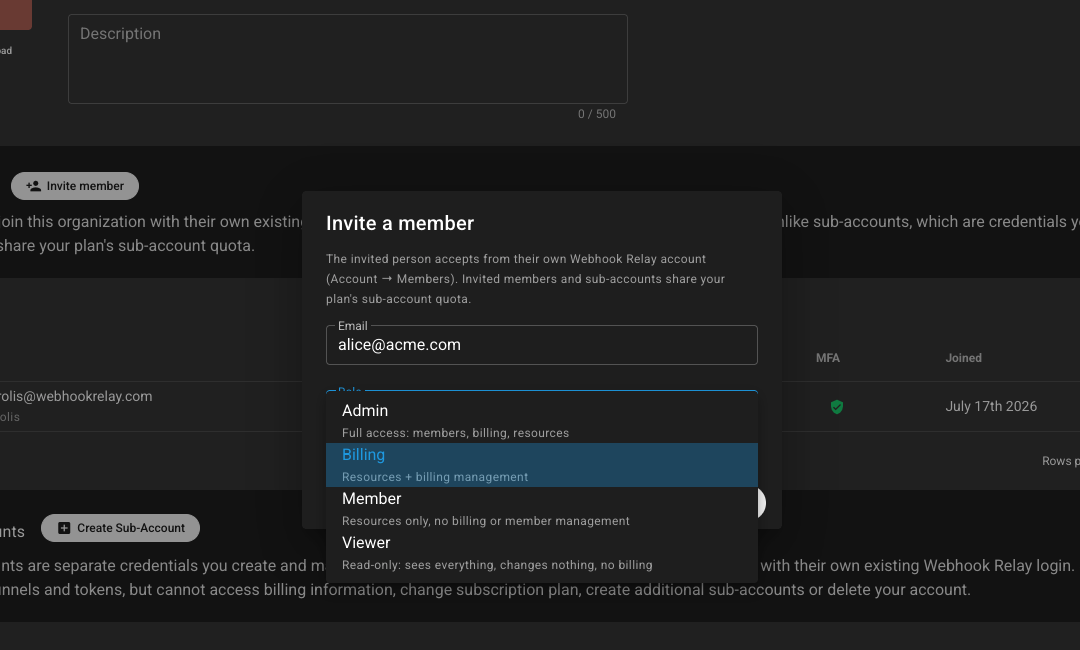
Team member roles let you grant the right level of access to each person in your organization. Convert your account into an organization, invite colleagues with their own Webhook Relay login, and assign a role that controls resources, billing and membership.
For the full overview, see custom roles.
Roles
- Admin — full access: members, billing, resources
- Billing — resources + billing management
- Member — resources only; no billing or member management
- Viewer — read-only: sees everything, changes nothing, no billing
Why roles matter
- Least privilege — give each person exactly the access they need
- Safer onboarding — invite with a scoped role; revoke when someone leaves
- Billing control — only Admin and Billing can touch the plan
- Accountability — pair with audit logs so every action is attributable
Combine with Single Sign-On (SSO) and teams for organization-scale webhook management.
Create an account or contact sales to discuss team plans.