

Alerts
Get notified when webhook delivery fails. Define alert policies, choose destinations (Email, Slack, Discord, Teams, Telegram, Pushover, SMTP or webhook), and Webhook Relay opens and resolves incidents automatically.
Get notified when webhook delivery fails
Alerts watch your buckets for delivery problems. You define a policy (what counts as a failure and when to open an incident), pick where notifications go, and select which buckets to monitor. When delivery outcomes cross the policy, Webhook Relay opens an incident and sends a notification. When delivery recovers, the incident resolves automatically.
For a short product overview, see the Alerts feature page. For custom logic (e.g. alert only when a payload field is wrong), use alerting from functions instead.
Create an alert
- Open Alerts in the Webhook Relay dashboard (my.webhookrelay.com).
- Click New alert policy (or Create alert).
- Configure the three parts of the form:
- Destination — where incidents should go
- Alert policy — what to monitor and when to open
- Buckets — which buckets this policy watches
- Click Create alert.
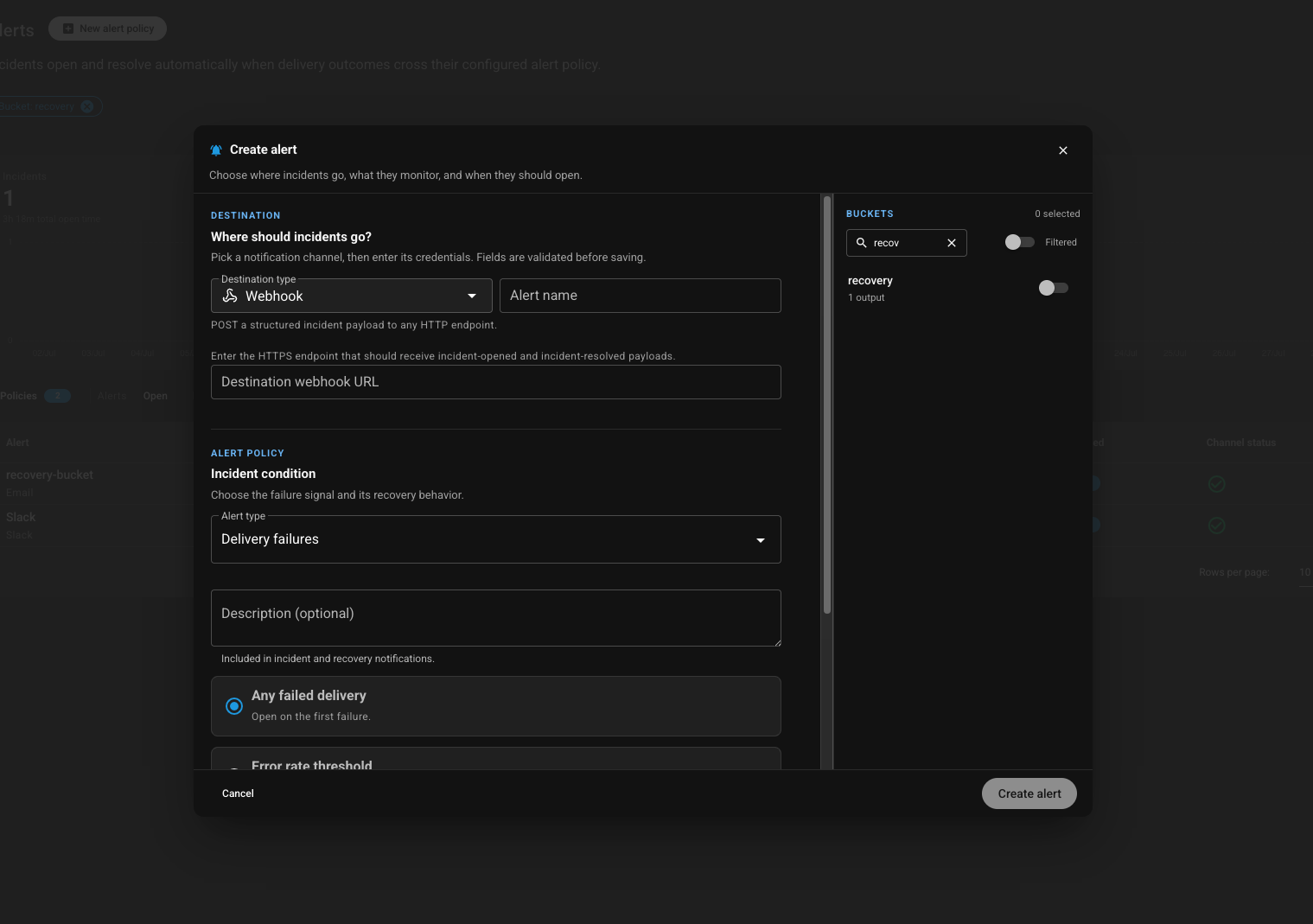
Destination — where should incidents go?
Pick a notification channel and enter its credentials. Fields are validated before saving.
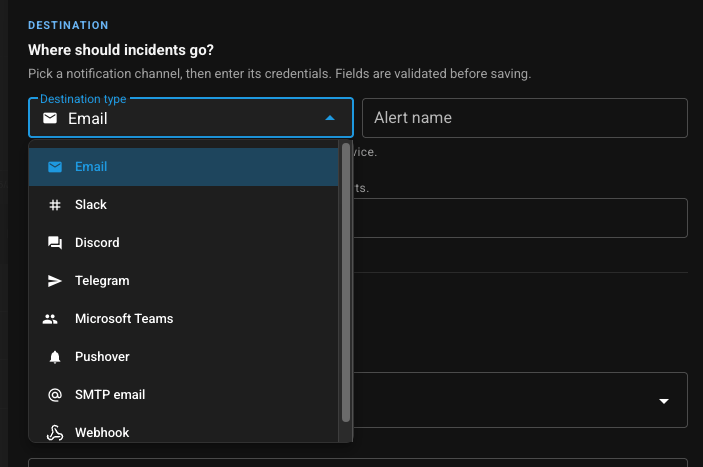
Supported destination types:
| Destination | Use it for |
|---|---|
| Inbox notifications | |
| Slack | Channel posts for eng / on-call |
| Discord | Server / channel webhooks |
| Telegram | Bot messages |
| Microsoft Teams | Channel notifications |
| Pushover | Mobile push for on-call |
| SMTP email | Your own mail server |
| Webhook | Any HTTPS endpoint (PagerDuty, Opsgenie, custom bots, …) |
Give the alert a name so you can tell policies apart in the list. You can create multiple alerts with different destinations for the same buckets if you want fan-out (e.g. Slack for the team and a webhook into your incident tool).
Alert policy — when should an incident open?
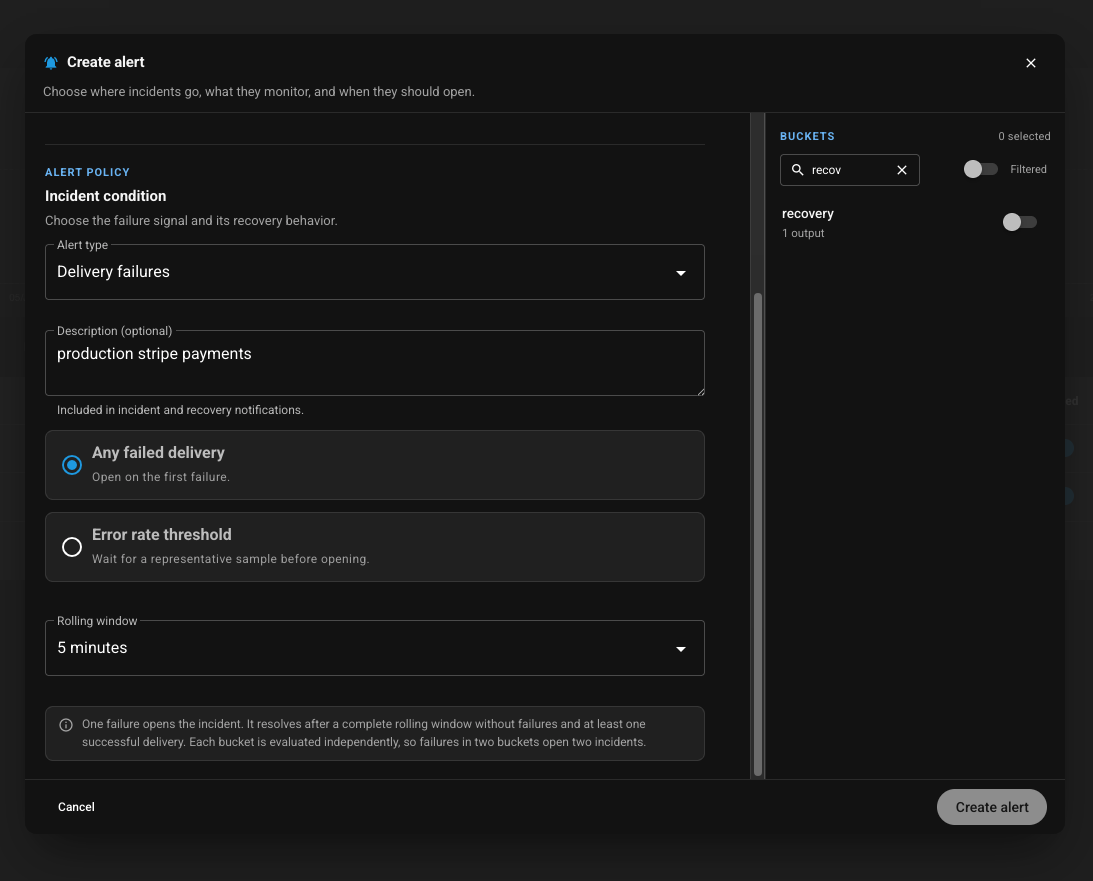
Alert type
Currently supported:
- Delivery failures — fire when deliveries to a watched bucket fail (errors, timeouts, unreachable destinations).
Description (optional)
Free-text note included in incident and recovery notifications — e.g. production stripe payments — so on-call knows which system is affected.
Incident condition
Choose how sensitive the policy is:
| Condition | Behavior |
|---|---|
| Any failed delivery | Open on the first failure. |
| Error rate threshold | Wait for a representative sample before opening (reduces noise from one-off blips). |
Rolling window
The recovery window for the policy (e.g. 5 minutes). With Any failed delivery:
- One failure opens the incident.
- The incident resolves after a complete rolling window with no failures and at least one successful delivery.
- Each bucket is evaluated independently — failures in two buckets open two incidents.
Buckets
Use the Buckets panel on the right to select which buckets this alert watches. Search and filter as needed, then toggle each bucket on.
Only selected buckets are evaluated. Leave a bucket off if you do not want delivery noise from it to open incidents.
Incidents
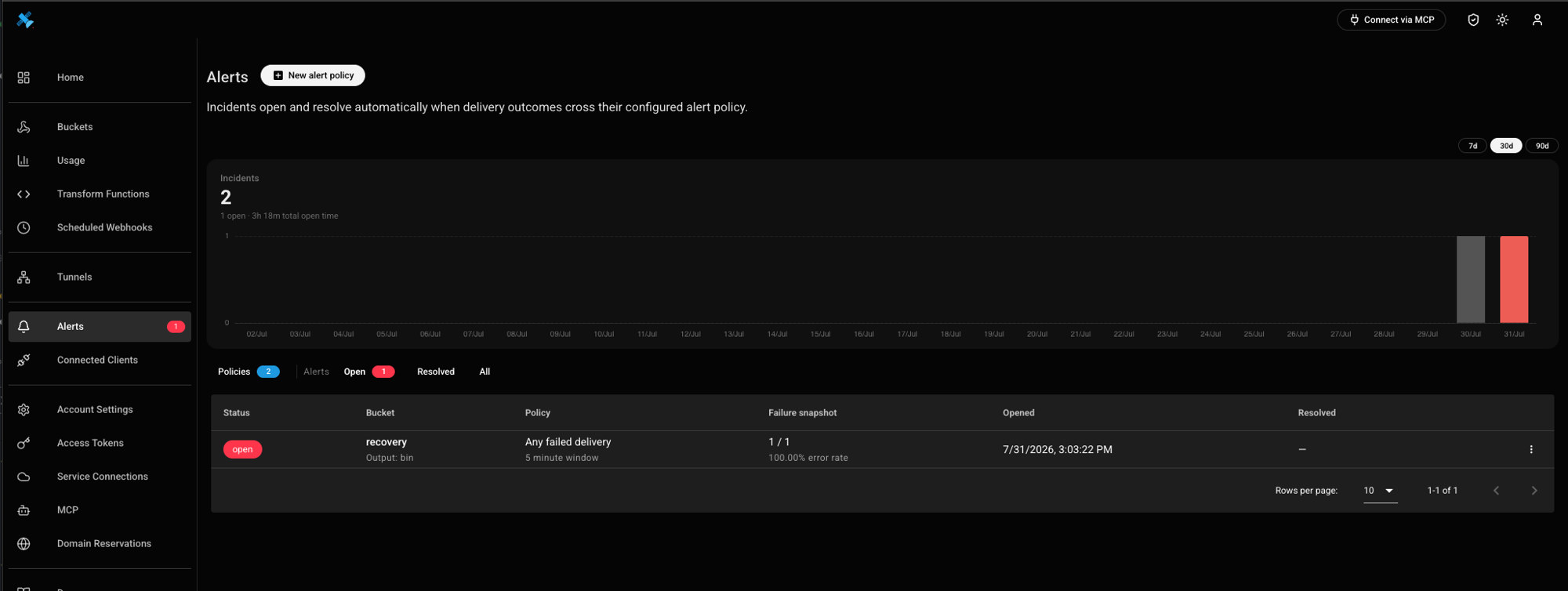
When a policy condition is met on a watched bucket, Webhook Relay opens an incident. Incidents are the live record of delivery problems — one per bucket per policy — and appear on the Alerts page with status, failure snapshot, and open/resolved times.
When an incident starts
An incident opens as soon as the alert policy’s condition is met for that bucket, for example:
- Any failed delivery — first failed delivery
- Error rate threshold — after a representative sample exceeds the threshold
Each bucket is evaluated on its own, so two failing buckets under the same policy produce two incidents. Destinations on that alert receive an incident opened notification.
How an incident closes
An incident can end in either way:
- Automatically — after a full rolling window with no failures and at least one successful delivery, the incident resolves and a recovery notification is sent.
- Manually — resolve the incident from the Alerts UI (row actions) when you have fixed the issue and do not want to wait for the recovery window.
History and filtering
The Alerts page keeps incident history so you can always revisit what happened:
- Chart — open-incident volume over 7 / 30 / 90 days
- Filters — Policies, Open, Resolved, or All
- Table — Status, Bucket (and output), Policy (condition + window), Failure snapshot (counts and error rate), Opened, Resolved
Pair incidents with webhook logs & monitoring to inspect the exact failing request, and with durable retries so failed deliveries keep retrying while you fix the destination.
Related
- Alerts feature page
- Webhook logs & delivery monitoring
- Durable webhooks
- Alerting from functions — custom request/response checks
- Audit logs — who created or changed alert policies