
Salesforce Outbound Messages: Receive Them Behind a Firewall
How Salesforce Outbound Messages work (SOAP payload, the Ack response, 24-hour retries, ports and IP ranges) and how to receive them on an internal server with no inbound firewall rules.
On this page
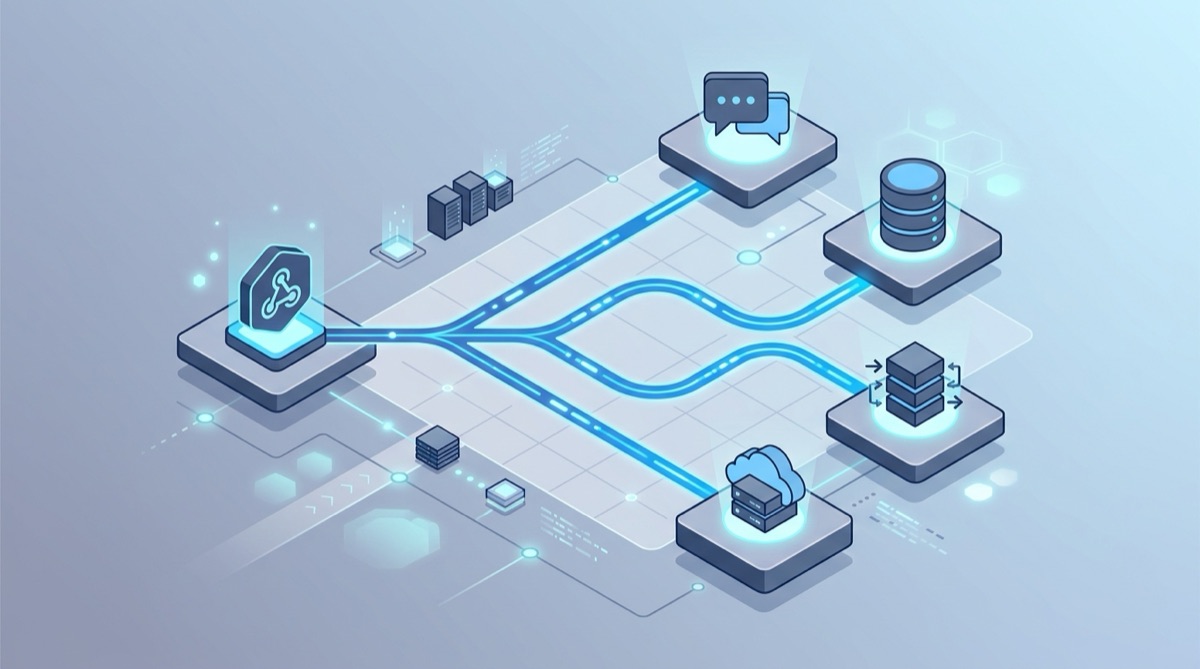
Salesforce Outbound Messages are SOAP webhooks: Salesforce posts an XML envelope to a URL you configure and retries for up to 24 hours until it gets a SOAP Ack. If the listener runs on your private network, point the outbound message at a Webhook Relay input that returns that acknowledgement, and run the relay agent next to your listener. The agent connects out, so Salesforce never needs an inbound path into your network, and messages are stored and retried on Webhook Relay's side if your listener is down.
How Outbound Messages work
An outbound message is a declarative action. You define it once in Setup (search Outbound Messages in Quick Find): pick the object, the endpoint URL, the user to send as, and the fields to include. Then you attach it to automation:
- Flow Builder: Outbound Message is an action in record-triggered flows. This is where new automation belongs.
- Workflow Rules and approval processes: the original home of outbound messages. Salesforce ended support for Workflow Rules and Process Builder at the end of 2025. Existing rules keep running, but don't build new ones there.
When the automation fires, Salesforce queues a message and a background process sends it. According to Salesforce's documentation:
- One SOAP message can carry up to 100 notifications.
- Delivery is retried with exponentially growing intervals, up to two hours apart, for up to 24 hours. Then the message is dropped.
- Messages can arrive out of order and more than once. Dedupe on each notification's
Id. - Allowed endpoint ports are 80 (HTTP only), 443 (HTTPS only), and 1024 to 65535 (HTTP or HTTPS).
The payload
Each delivery is a SOAP envelope like this one, trimmed:
<soapenv:Envelope xmlns:soapenv="http://schemas.xmlsoap.org/soap/envelope/"
                  xmlns:xsi="http://www.w3.org/2001/XMLSchema-instance">
  <soapenv:Body>
    <notifications xmlns="http://soap.sforce.com/2005/09/outbound">
      <OrganizationId>00D5g000000AbCdEAF</OrganizationId>
      <ActionId>04k5g000000XyZaAAC</ActionId>
      <SessionId xsi:nil="true"/>
      <EnterpriseUrl>https://acme.my.salesforce.com/services/Soap/c/62.0/00D5g000000AbCd</EnterpriseUrl>
      <PartnerUrl>https://acme.my.salesforce.com/services/Soap/u/62.0/00D5g000000AbCd</PartnerUrl>
      <Notification>
        <Id>04l5g00000AbCdEAAV</Id>
        <sObject xsi:type="sf:Opportunity" xmlns:sf="urn:sobject.enterprise.soap.sforce.com">
          <sf:Id>0065g00000QwErTAAZ</sf:Id>
          <sf:StageName>Closed Won</sf:StageName>
          <sf:Amount>48000.0</sf:Amount>
        </sObject>
      </Notification>
    </notifications>
  </soapenv:Body>
</soapenv:Envelope>
Leave Send Session ID unchecked unless the listener really has to call back into Salesforce as that user. A session ID is a live credential, and it would be stored anywhere the message is logged.
The acknowledgement
The listener must answer with a notificationsResponse whose Ack is true (WSDL reference):
<?xml version="1.0" encoding="UTF-8"?>
<soapenv:Envelope xmlns:soapenv="http://schemas.xmlsoap.org/soap/envelope/">
  <soapenv:Body>
    <notificationsResponse xmlns="http://soap.sforce.com/2005/09/outbound">
      <Ack>true</Ack>
    </notificationsResponse>
  </soapenv:Body>
</soapenv:Envelope>
A bare 200 OK isn't enough. Without the Ack, Salesforce treats the delivery as failed and keeps retrying, which is the most common reason the outbound message queue fills up.
The firewall problem
Outbound messages come from Salesforce's cloud, so the endpoint has to be reachable from the internet. If the system that should act on them (an order-management system, a billing engine, an on-prem data hub) sits on a private network, the usual options are a DMZ listener with an inbound NAT rule, or middleware hosted somewhere public that forwards inward. Both mean a public, SOAP-speaking endpoint that you build, secure and keep running.
Receive outbound messages on an internal server with Webhook Relay
1. Start the agent inside your network
On a host that can reach your listener, install the relay CLI, log in, and run:
relay forward --bucket salesforce-om http://soap-listener.internal:8080/salesforce/outbound
The command creates the bucket, prints its public HTTPS input URL, and starts the agent. The agent only connects out (through a corporate HTTP proxy if you have one). For production, run it as a Docker container, a system service, or in Kubernetes with the operator.
2. Make the input return the SOAP Ack
Outbound messages can't carry custom auth headers, so the acknowledgement is what matters at the edge. In the bucket, open the input's Response Configuration (docs) and choose one of two modes:
- Static response (simplest): status
200, headerContent-Type: text/xml; charset=utf-8, and theAckenvelope above as the body. Salesforce sees a successful delivery as soon as Webhook Relay has stored the message, and Webhook Relay takes over delivery to your network. Its durable retries run for up to 30 days, compared with Salesforce's 24 hours. - Dynamic response from the output: Webhook Relay returns whatever your internal listener answers, as long as it responds within 10 seconds. Use this if the listener should decide whether to
Ack, for example to make Salesforce retry when a downstream system rejects the record.
3. Point the outbound message at the input
Paste the input URL into the outbound message's Endpoint URL, then fire the flow on a test record. The request log shows the SOAP envelope Salesforce sent, the response that went back, and your listener's reply.
4. Check the sender
- Source IPs. Salesforce publishes its outbound ranges at ip-ranges.salesforce.com/ip-ranges.json and states there are no static IPs for individual instances. Put the ranges in the input's source IP allowlist to reject everything else with a
403before it's stored. - Your org only. Attach a small function to the output that drops messages from any other org:
const ORG_ID = "00D5g000000AbCdEAF" // your 18-character org ID
if (!r.body.includes("<OrganizationId>" + ORG_ID + "</OrganizationId>")) {
  r.stopForwarding()
}
The same function can turn the SOAP XML into JSON with thexmlhelper library if your internal service would rather not parse SOAP.
Production checklist
- Dedupe on the notification
Id. Salesforce can send a message more than once, and retries on either side can too. - Don't rely on order. Compare a timestamp or version field on the record before you overwrite newer data.
- Expect batches. One envelope can hold up to 100
Notificationelements. - Replay instead of re-saving records. Resend any stored message from the bucket log while you debug the listener, rather than editing Salesforce records to trigger the flow again.
- Fan out. Add outputs, or agents in other sites, to send the same message to several internal systems.
Related
- Webhooks to internal servers: how the relay agent works.
- Send a webhook to Salesforce: the opposite direction, from any webhook into the Salesforce API.
- ServiceNow webhooks and NetSuite webhooks: the same pattern for other enterprise systems.
- Azure Relay alternative: Hybrid Connections compared for on-prem delivery.
- Buying for a company? The enterprise page covers SOC 2 Type II, SSO, security reviews and annual billing by invoice and purchase order.