
ServiceNow Webhooks: Send Events to an Internal Server Behind a Firewall
How ServiceNow sends webhooks (outbound REST messages, business rules, Flow Designer), when a MID Server is the right answer, and how to deliver events to an on-prem service with no inbound ports.
On this page
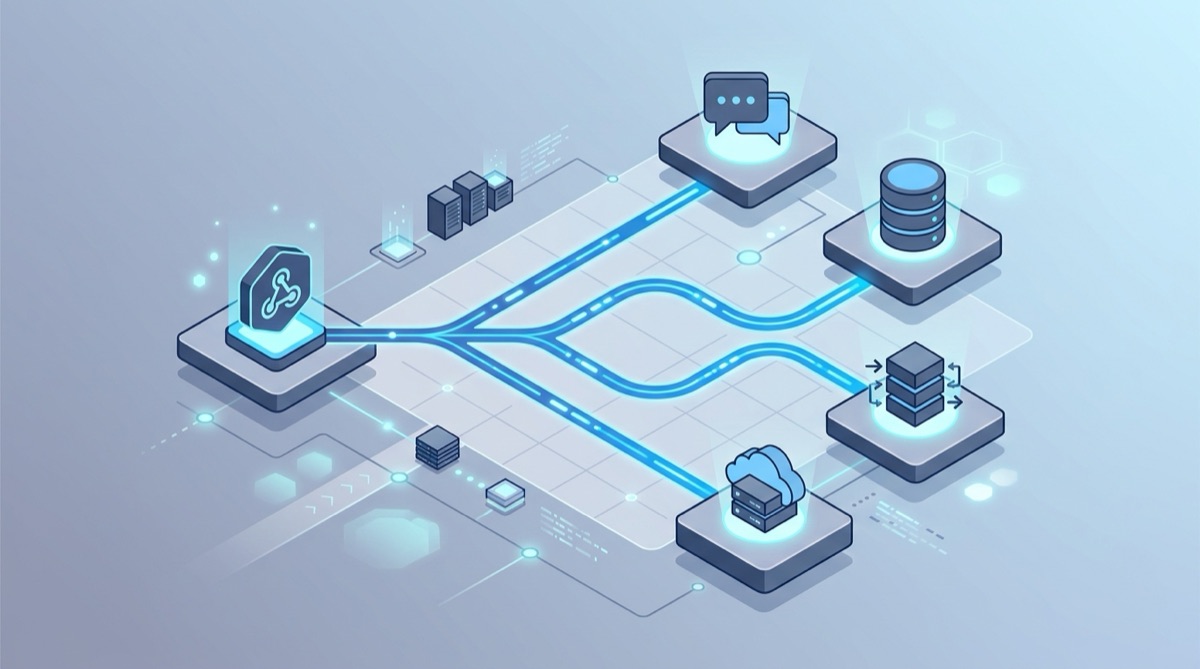
To send ServiceNow events to a server on your private network, have ServiceNow call a public Webhook Relay URL from a business rule (or Flow Designer), and run the relay agent next to the internal service. The agent connects out over HTTPS, so there's no inbound firewall rule, no public IP and no MID Server needed for this. Every request is stored, retried if your side is down, and logged with the response your service returned.
The rest of this guide covers how ServiceNow actually sends outbound HTTP, where the MID Server fits, and a working setup.
How ServiceNow sends webhooks
ServiceNow has no "Webhooks" page where you paste a URL. Outbound calls are built from outbound REST messages, and the ServiceNow docs describe two ways to send one: a REST workflow activity, or the RESTMessageV2 script API. In practice you'll meet three patterns:
- A stored REST message under System Web Services → Outbound → REST Message: an endpoint, HTTP methods, headers, an authentication profile and a body template with variables. Scripts and flows call it by name.
- A business rule that runs on a table event (insert, update, delete) and builds the request in script with
sn_ws.RESTMessageV2. This is the closest thing to a classic webhook, and it needs no extra subscription. - A Flow Designer REST step inside a flow triggered by a record change. ServiceNow's docs say the REST step isn't in the base system and needs an Integration Hub subscription, so check your entitlements before you design around it.
All three send ordinary HTTPS requests from ServiceNow's cloud. That's the core issue for on-prem receivers.
The private-network problem
Your ServiceNow instance runs in ServiceNow's data centres, and the system that should react to an incident (a CMDB sync job, an internal automation API, an on-prem monitoring or ticket bridge) runs on your network with no public address. A REST message pointed at http://10.20.0.15:8080/incidents just times out.
The usual workarounds each cost something:
- Opening an inbound port with a NAT rule and a public IP needs a firewall change, a security review and a hardened endpoint, and it's yours to look after from then on.
- Polling the Table API from inside the network works, but you trade real-time events for a schedule and an API-rate budget.
- A MID Server, covered next.
Where the MID Server fits
A MID Server is a Java application that runs as a Windows service or UNIX daemon inside your network. It connects out to your instance on TCP 443 and works through the ECC Queue: the instance queues work, the MID Server picks it up, runs it, and writes the result back. ServiceNow notifies it when work is waiting, and it also polls every 40 seconds by default.
ServiceNow documents that outbound REST messages "can run from a MID Server" to reach REST endpoints on an internal network. In script that's setMIDServer() on the RESTMessageV2 object, followed by executeAsync(). So for some teams the honest answer is: if you already run MID Servers for Discovery or Service Mapping, use one.
It's less attractive when:
- You'd be installing MID Servers only for this. It's a Java service to size, patch, upgrade with each instance release and keep highly available, often on a host the ServiceNow team doesn't own.
- The receiving team isn't the ServiceNow team. With a MID Server, delivery logic, retries and payload shape all live in ServiceNow scripts. The team that owns the internal API can't see what was sent or replay it.
- The same event should reach several systems, or systems in several network zones, each of which would need MID Server reachability.
- You need an audit trail of deliveries outside the instance: what was sent, when, and what the receiver answered.
Send ServiceNow events to an internal server with Webhook Relay
1. Create a bucket and start the agent on your network
On a host that can reach the internal service, install the relay CLI, log in, and forward a bucket to the internal URL:
relay forward --bucket servicenow-incidents http://10.20.0.15:8080/incidents
This creates the bucket, prints its public input URL (https://my.webhookrelay.com/v1/webhooks/<input-id>), and starts the agent. The agent only makes outbound connections, and it works through a corporate HTTP proxy. For a long-running setup, run it as a Docker container or a service, or inside Kubernetes with the operator.
In the bucket settings, turn on token authentication (how) so only requests carrying your bearer token are accepted.
2. Call it from a business rule
Create a business rule on the incident table: When: async, on insert and update, with conditions such as Priority is 1 - Critical. Async rules run after the record is saved and keep the HTTP call off the user's transaction. The script:
(function executeRule(current, previous) {
  var r = new sn_ws.RESTMessageV2();
  r.setEndpoint('https://my.webhookrelay.com/v1/webhooks/<input-id>');
  r.setHttpMethod('post');
  r.setRequestHeader('Content-Type', 'application/json');
  r.setRequestHeader('Authorization', 'Bearer ' + gs.getProperty('x_acme.webhookrelay_token'));
  r.setRequestBody(JSON.stringify({
    event: current.operation(),            // insert / update
    sys_id: current.getUniqueValue(),
    number: current.getValue('number'),
    state: current.getValue('state'),
    priority: current.getValue('priority'),
    assignment_group: current.getDisplayValue('assignment_group'),
    short_description: current.getValue('short_description')
  }));
  r.executeAsync();
})(current, previous);
Keep the token in a system property rather than in the script. If you prefer a stored REST message, put the same URL in its endpoint, add the Authorization header there (or a basic auth profile, if you chose basic auth on the bucket), and call it with new sn_ws.RESTMessageV2('Webhook Relay', 'post').
3. Your internal service receives a normal POST
The agent delivers the request with the original headers and JSON body to http://10.20.0.15:8080/incidents. Nothing in the receiving code knows about ServiceNow's network or Webhook Relay. The bucket log shows each request next to the status and body your service returned, which settles most "did ServiceNow send it?" arguments quickly.
Production details
- Your side being down doesn't lose events. Webhook Relay accepts and stores the request immediately. Requests that arrive while no agent is connected wait in the bucket and can be replayed on reconnect, and durable retries keep retrying failed deliveries with backoff for up to 30 days. That beats relying on a business rule with no retry logic.
- Lock down the input. Use the bucket token from step 1. ServiceNow doesn't publish one public list of outbound IPs. Each customer finds their instance's addresses through the My IP Information request in the Now Support portal, and you can put those in an input's source IP allowlist as a second layer.
- Reshape without touching ServiceNow. If the internal API expects a different body, or a header ServiceNow can't easily set, attach a transform function to the output instead of editing scripts in the instance.
- Fan out. Add more outputs, or run agents in other network zones against the same bucket, to send one incident to several internal systems.
- Test before wiring production. Point the REST message at a free Webhook Bin first to see the exact body your script produces.
MID Server vs Webhook Relay
| MID Server | Webhook Relay | |
|---|---|---|
| Inbound firewall rule | No (outbound 443) | No (outbound agent) |
| What you run on-prem | Java MID Server, sized and upgraded with the instance | A single relay binary, container or Kubernetes operator |
| Who sees the deliveries | ServiceNow admins, via the ECC Queue | Request log with responses, visible to the receiving team |
| Events stored and retried if the receiver is down | Your script's job | Yes, up to 30 days with durable retries |
| One event to several internal systems | One call per target in script | Several outputs or agents per bucket |
| Also receives webhooks from other SaaS | No | Yes, any provider that can POST to a URL |
Related
- Webhooks to internal servers: how the relay agent works.
- Azure Relay alternative: when Hybrid Connections fits and when it doesn't.
- NetSuite webhooks and Salesforce Outbound Messages: the same pattern for other enterprise systems.
- Incident automation webhooks: routing alerts into on-prem automation.
- Rolling this out across a company? The enterprise page covers SOC 2 Type II, SSO, security reviews and invoice or PO billing.