No inbound ports
Jenkins keeps no public address, so /cli, the script console and the setup wizard, the endpoints behind exploited CVEs like CVE-2024-23897, can't be reached from outside. Security teams don't need to approve a firewall change.
 Official Jenkins plugin · GitHub · Bitbucket · GitLab
Your Jenkins stays on the private network. The Webhook Relay plugin opens an outbound connection, and every push and pull request webhook is delivered to /github-webhook/. No public IP, no inbound firewall rules, no reverse proxy.
Free plan · No credit card · Set up in about 5 minutes
GitHub / Bitbucket / GitLab
        │  push, pull_request
        ▼
https://<bucket>.hooks.webhookrelay.com   ← the only public URL
        │
        ▼  outbound WebSocket, opened by the plugin
Jenkins (private network) → /github-webhook/ → build startedGitHub only needs to reach one endpoint. Opening Jenkins to the internet exposes all of them.
Jenkins keeps no public address, so /cli, the script console and the setup wizard, the endpoints behind exploited CVEs like CVE-2024-23897, can't be reached from outside. Security teams don't need to approve a firewall change.
Webhook Relay accepts and stores every webhook, so GitHub never sees a failure. With durable delivery, webhooks are retried for up to 30 days, and you can replay any request from the logs.
See each webhook with the response Jenkins returned. "Why didn't my build start?" takes seconds to answer, without digging through the Jenkins system log.
Pick a preset in the plugin. Your jobs stay exactly as they are.
GitHub hook trigger for GITScm polling, githubPush() and GitHub Branch Source.
/github-webhook/For Bitbucket Server, Gitea, Jira or your own tools, with token-based job selection.
/generic-webhook-trigger/invokeThe Bitbucket plugin push trigger, unchanged.
/bitbucket-hook/The GitLab plugin build triggers, including merge request events.
/project/<job>Requires Jenkins 2.479.1 or newer. No separate agent to install or keep running.
Step 1
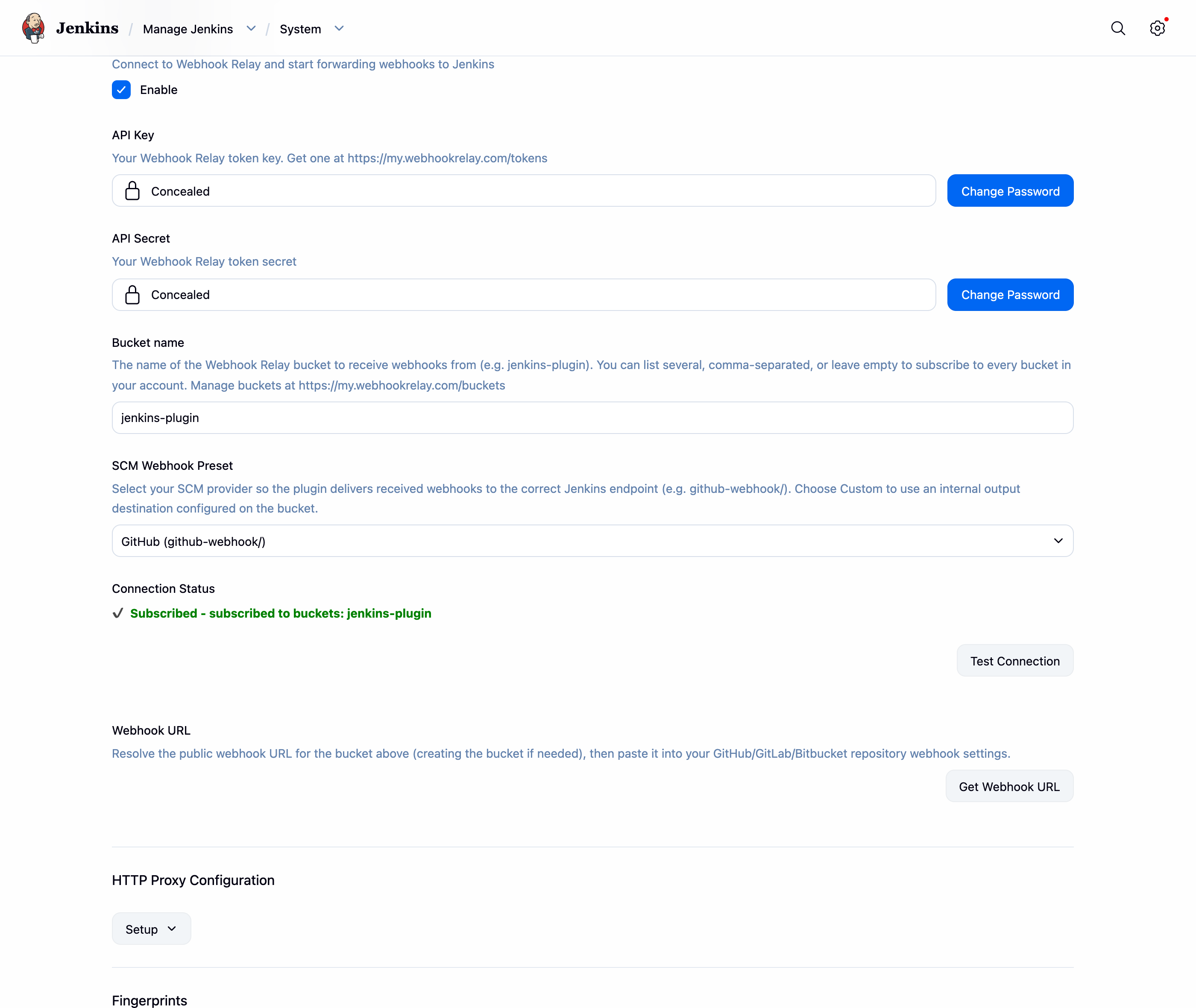
Manage Jenkins → Plugins → search "Webhook Relay". Add your API token and a bucket name, pick your SCM preset and save.
Step 2
Click "Get Webhook URL" and paste it into your repository's webhook settings. That is the only change on the GitHub side.

Step 3
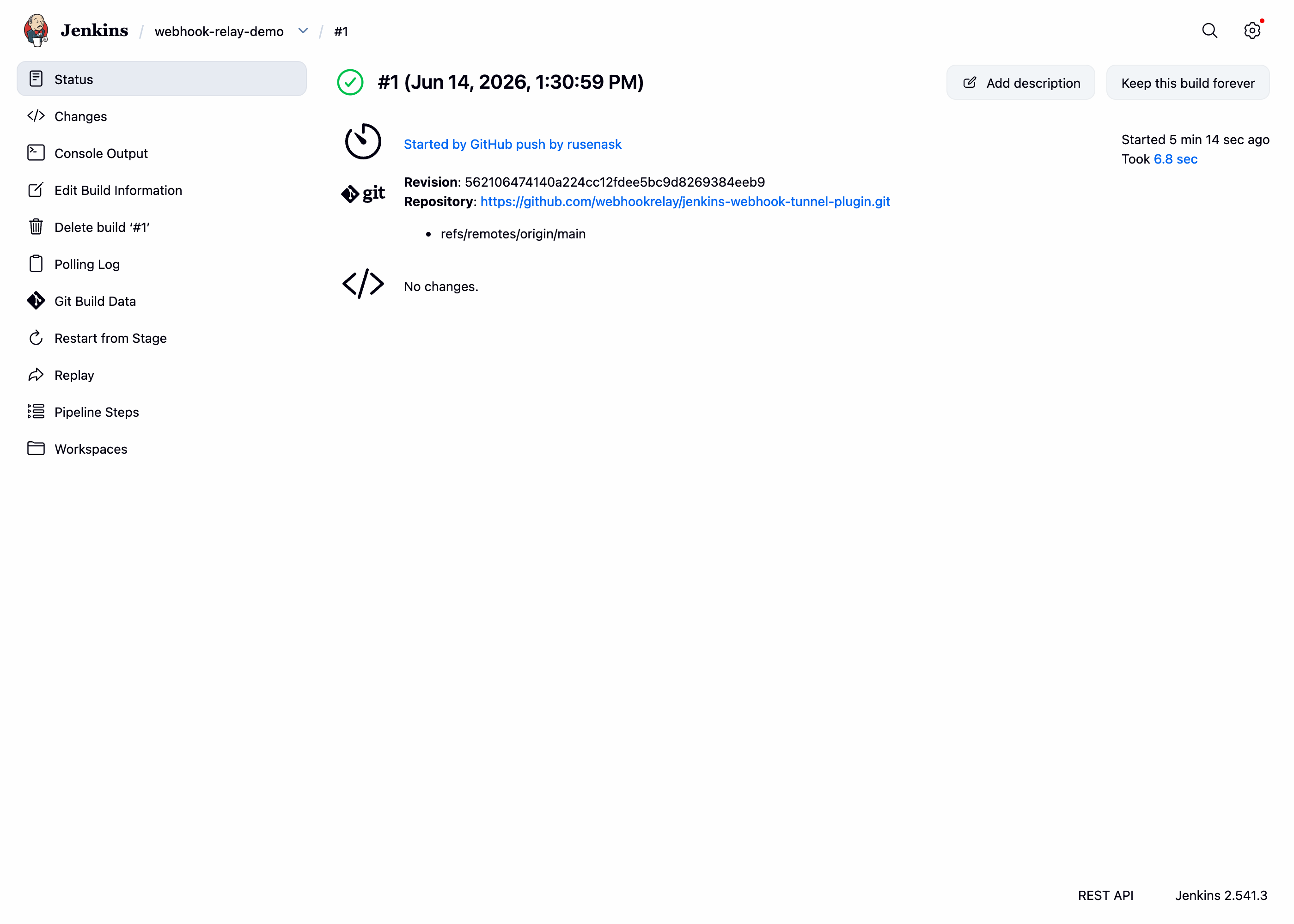
The webhook travels from GitHub through your bucket to Jenkins, and the build starts. Multibranch pipelines and pull request builds work the same way.
Full guide: Jenkins plugin · Multibranch Pipelines · prefer a standalone agent? relay CLI
The free plan covers a test pipeline. Busy CI/CD runs on Business ($79.99/month): 60,000 webhooks a month, long log retention and priority support.
Compare plansAnnual plans can be paid by invoice and purchase order. We'll help with your security review and vendor onboarding.
Talk to usNo. The plugin connects out from Jenkins over HTTPS/WebSocket, the same as any outbound API call. Nothing connects in to Jenkins, so it can stay on a private network, behind NAT or a corporate proxy.
No. GitHub, Bitbucket or GitLab post to your bucket's public Webhook Relay URL. Jenkins never has a public address.
The webhook is stored by Webhook Relay and the provider gets a success response. With durable delivery it is retried for up to 30 days, and any request can be replayed from the logs.
Yes. The relay CLI, Docker image or Kubernetes operator can forward to Jenkins from any machine on the same network, which is useful when you can't install plugins on the controller.
Install the plugin, paste one URL into your repository settings, push a commit. Jenkins stays private.
Free plan · No credit card required · 7-day money-back guarantee on paid plans