

Jenkins Multibranch Pipelines
Trigger Jenkins Multibranch Pipeline builds from GitHub webhooks without exposing Jenkins — branch and pull request jobs via the Webhook Relay plugin.
Multibranch Pipeline projects work with the Webhook Relay Jenkins plugin just like regular jobs — pushes and pull requests on GitHub trigger builds on a Jenkins that has no public IP. But they are configured differently from regular jobs, and that trips people up:
A Multibranch Pipeline has no Build Triggers section. Don't look for one — nothing is missing from your Jenkins. Branch and pull request jobs are created and triggered by the branch source reacting to the webhook events the plugin delivers, with no per-job trigger configuration at all.
This page shows the full setup for GitHub. When it's done, every push and pull request
travels GitHub → your Webhook Relay bucket → the plugin → /github-webhook/, and:
- Push to a branch — the matching branch job builds.
- Push a new branch — a job for it is created and built automatically.
- Open a pull request — a
PR-<number>job is created and built.
Requirements
- The Webhook Relay plugin installed, connected and with a webhook URL resolved — steps 1–3 of the Jenkins Plugin tutorial (5 minutes).
- The GitHub Branch Source plugin
(Manage Jenkins → Plugins → Available, search for GitHub Branch Source). It listens
on the same
/github-webhook/endpoint the Webhook Relay plugin already delivers to, so the Webhook Relay configuration stays exactly the same. - A repository with a
Jenkinsfileon the branches you want built. The screenshots below use webhookrelay/jenkins-multibranch-demo, a minimal public repo with aJenkinsfileon every branch.
1. Create the Multibranch Pipeline
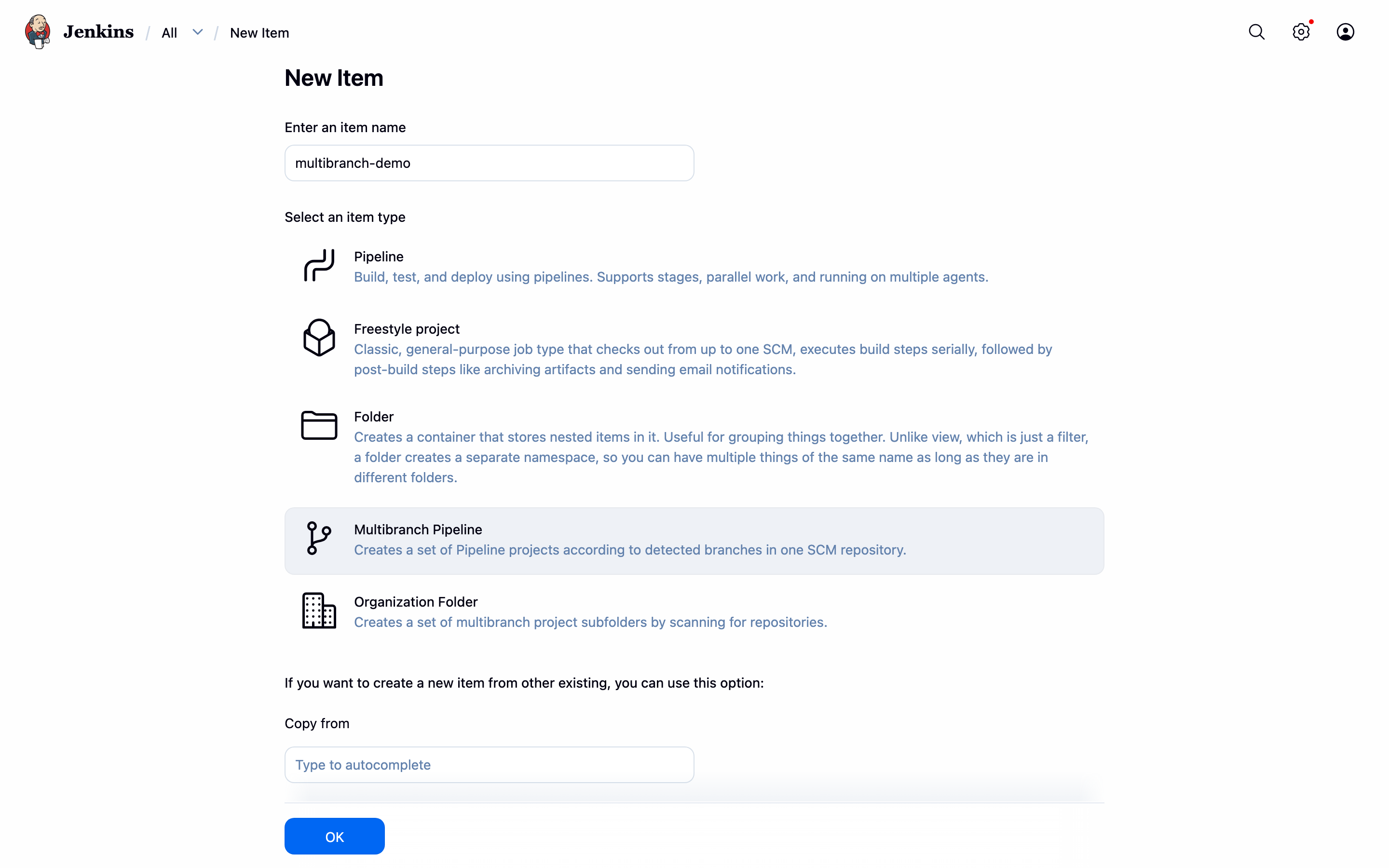
From New Item, enter a name and pick Multibranch Pipeline:
Under Branch Sources, add a GitHub source and set the Repository HTTPS URL to your repository (add a credential if it is private):
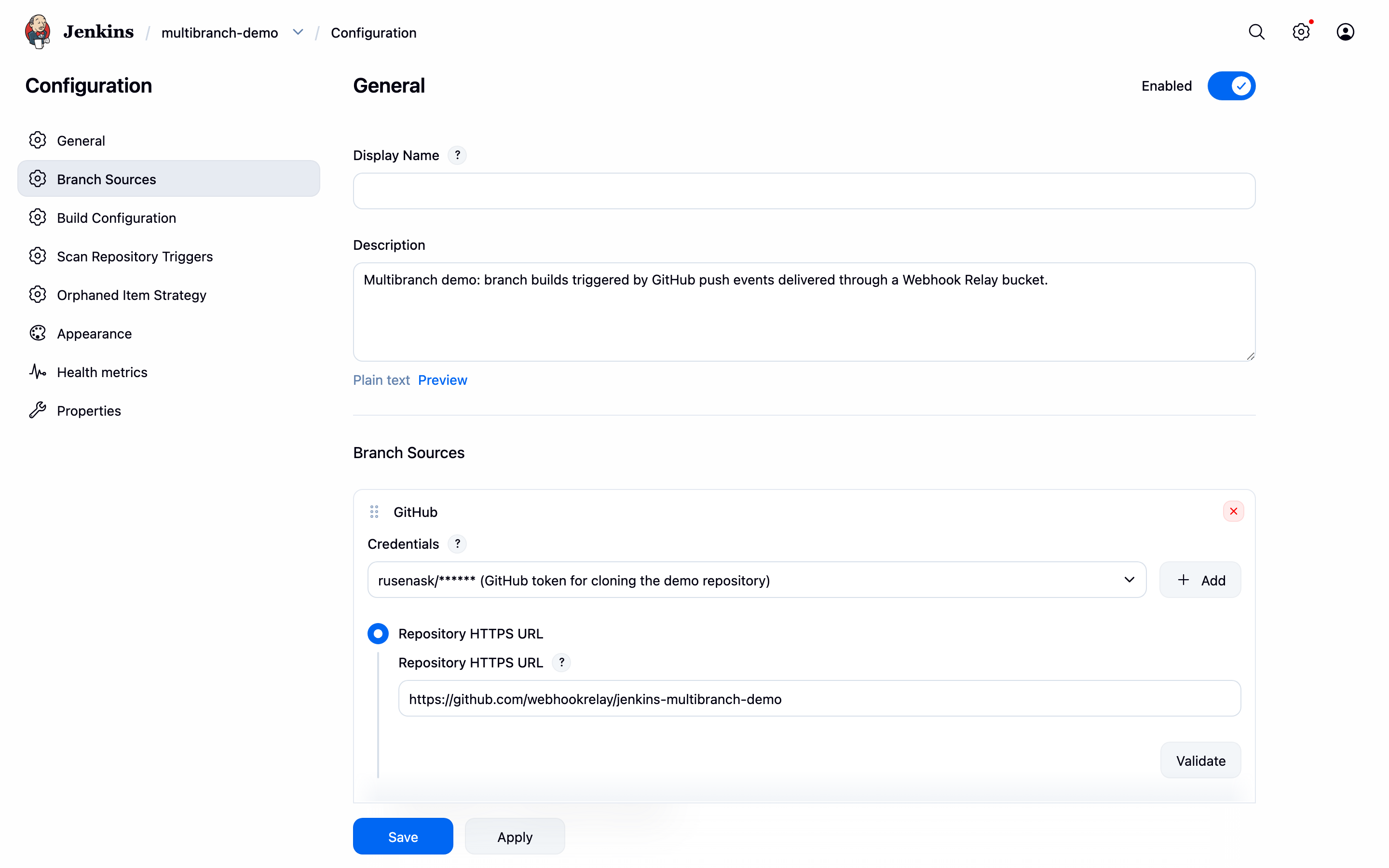
Note the Jenkinsfile needs no triggers { githubPush() } block — that trigger is only
for regular Pipeline jobs. Save, and Jenkins scans the repository once, creating a job for
every branch that has a Jenkinsfile.
2. Add the webhook events
In your repository's Settings → Webhooks, add the Get Webhook URL value from the
plugin configuration as the Payload URL (content type application/json). One thing to
watch: GitHub's default is to send just the push event. That covers branch builds — but if
you also want pull request jobs, choose Let me select individual events and tick
Pushes and Pull requests.
3. Push, branch, open PRs
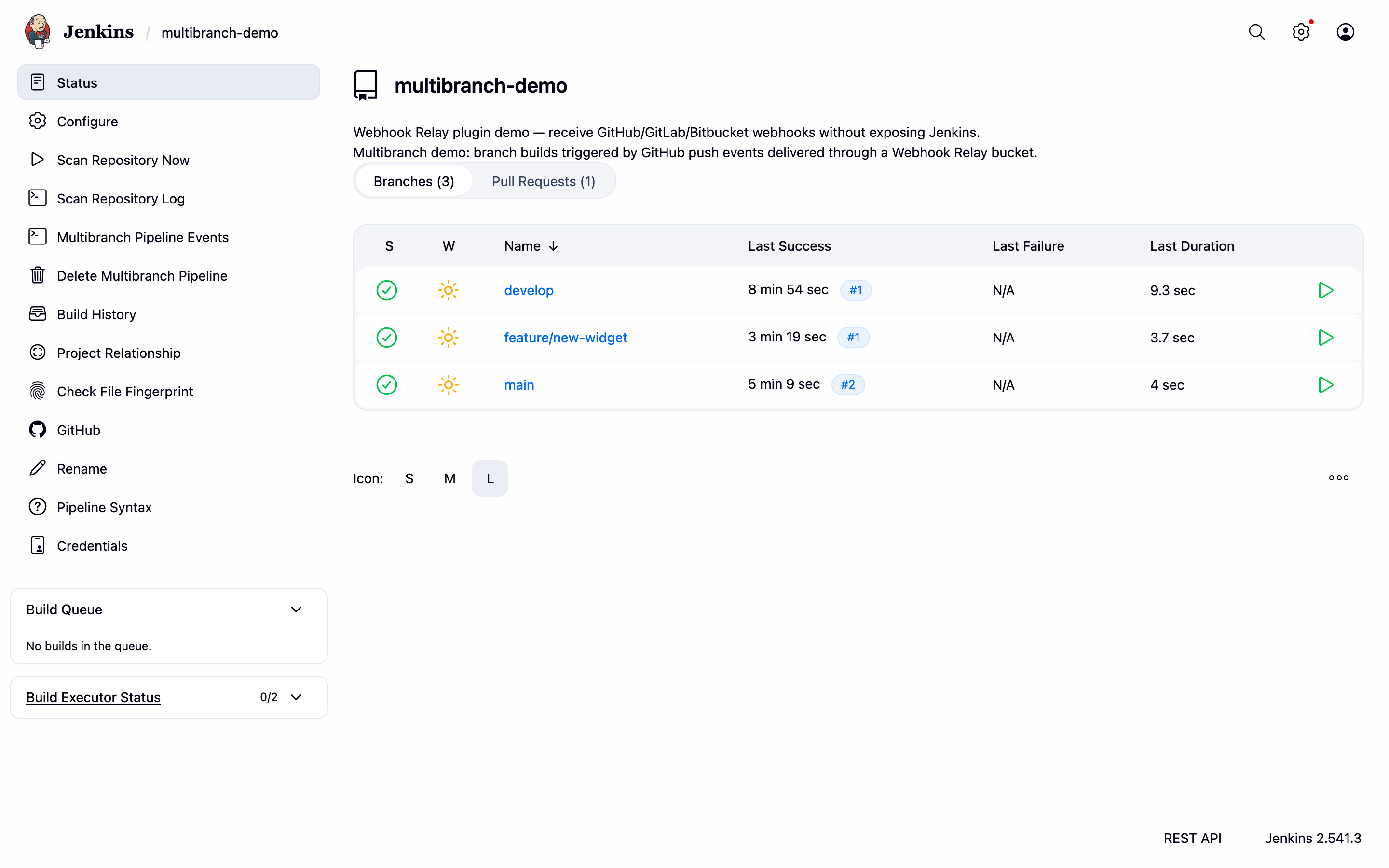
That's it. Push a commit and the matching branch job builds; push a new branch and its job appears and builds on its own:
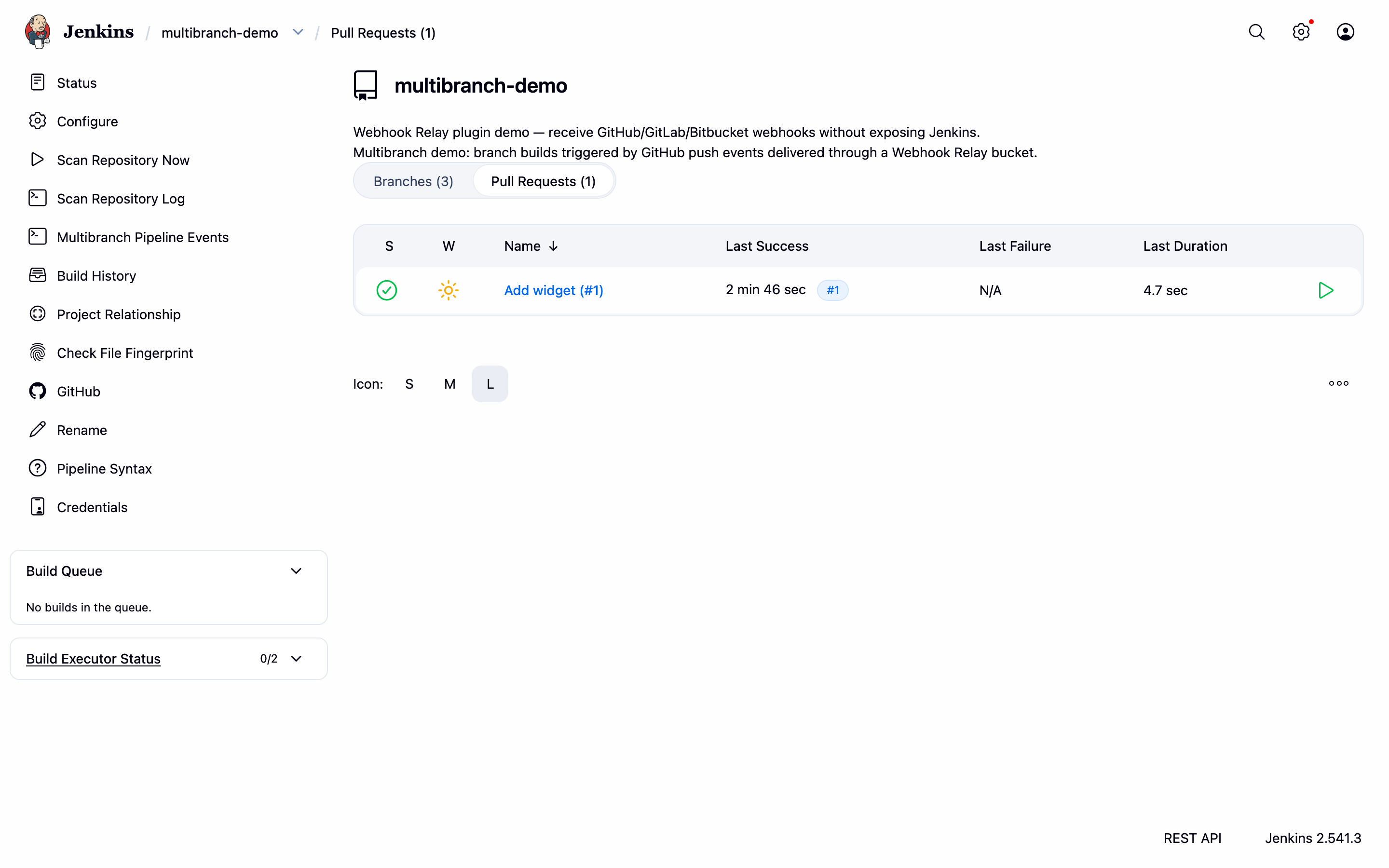
Pull requests get their own tab:
The build page shows the webhook as the cause — Push event to branch main:
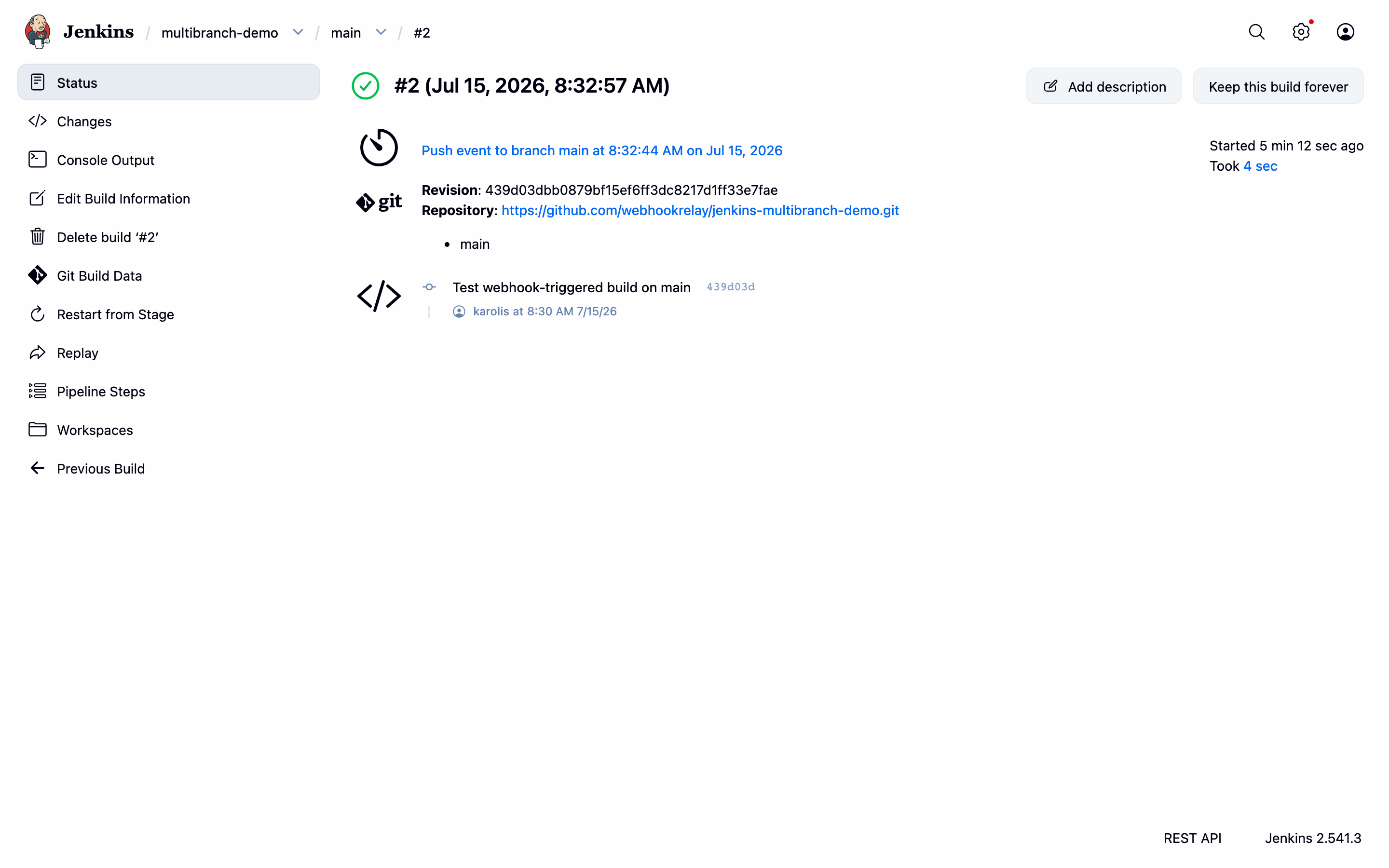
Every delivery is also recorded on the bucket's logs page together with the response Jenkins returned, so a webhook that didn't trigger a build is easy to trace.
GitLab and Bitbucket
The same idea applies to the other providers, with one twist: the
GitLab Branch Source and
Bitbucket Branch Source
plugins listen on their own endpoints (/gitlab-webhook/post and
/bitbucket-scmsource-hook/notify) rather than on the plugin's preset paths. To deliver
there, add an internal output to your bucket with the full destination URL (for example
http://localhost:8080/gitlab-webhook/post) — when a bucket has an internal output, the
plugin honours its path instead of the preset.
Troubleshooting
| Symptom | Fix |
|---|---|
| Looking for a Build Triggers section | There isn't one on multibranch projects — the branch source handles triggering. |
| Pushes build, pull requests don't | The GitHub webhook is only sending push events — tick Pull requests under Let me select individual events. |
Webhook arrives (bucket log shows 200) but nothing builds | The job's branch source must be GitHub (not plain Git), and the repository URL must match the pushed repo. |
| Nothing in the bucket logs | The repository webhook isn't pointing at the bucket's public URL — re-check the Payload URL against Get Webhook URL. |
Try it with Docker
The plugin repository ships a ready-to-run demo Jenkins (see the Jenkins Plugin tutorial); install the GitHub Branch Source plugin in it and follow the steps above against a fork of jenkins-multibranch-demo.