

Receive emails as webhooks
Turn inbound email into webhooks. Create an email input on a bucket, get a unique address, and every email is parsed to JSON and sent to your endpoint.
Webhook Relay can receive inbound email and deliver it as a webhook. You add an email input to a bucket, Webhook Relay gives you a unique address like [email protected], and every message sent to it is parsed and forwarded to your endpoint as a JSON POST — the same pipeline as any other Webhook Relay input, so you also get transforms, fan-out, retries and an audit log.
Sender  ──▶  {uuid}@in.webhookrelay-mail.com  ──▶  Webhook Relay  ──▶  JSON webhook  ──▶  your endpoint
(any email)        (your email input)            (parse + policy)      (POST application/json)   (or transform first)
Use it to drive automation from email: parse order confirmations, support requests, alerts, reports or any "email-only" system into your API, a database, Slack/Discord, or a spreadsheet — without running an SMTP server.
Create an email input
- Open the Webhook Relay dashboard and create (or pick) a bucket — a bucket groups inputs and outputs.
- Add an Email input to the bucket. Webhook Relay generates a unique inbound address for it.
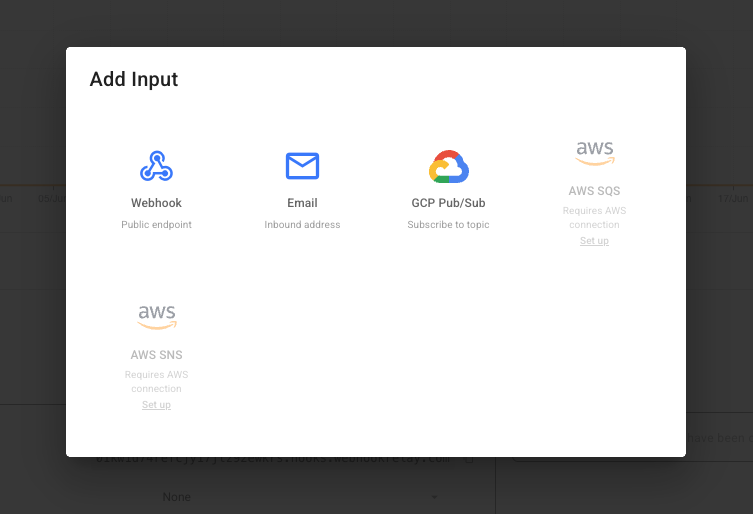
- Copy the generated address — it looks like
<uuid>@in.webhookrelay-mail.com, where the<uuid>is unique to that input. - Send mail to it (or hand it to whatever system needs to email you). Every message is parsed and delivered to the bucket's outputs.
Each email input has its own address. Disable the input to stop accepting mail without deleting it, and delete it to free the address.
Prefer the terminal? The relay CLI creates an address in a single command and can poll the bucket for incoming mail — see Create & poll email addresses from the CLI.
What your endpoint receives
The parsed message is delivered as a JSON body with Content-Type: application/json and an X-Webhookrelay-Source: email header. Here is a real message:
{
  "from": "[email protected]",
  "from_name": "K",
  "recipient": "[email protected]",
  "to": ["[email protected]"],
  "subject": "prod test",
  "date": "Fri, 26 Jun 2026 11:27:41 +0400",
  "message_id": "[email protected]",
  "text": "helloooo\r\n",
  "headers": {
    "From": "K <[email protected]>",
    "To": "[email protected]",
    "Subject": "prod test",
    "Content-Type": "text/plain; charset=us-ascii",
    "Return-Path": "<[email protected]>"
  },
  "spf": "none",
  "dkim": "pass",
  "dmarc": "pass"
}
HTML emails also include an html field, and attachments arrive in an attachments array. See the payload reference for every field.
Forward, transform or fan out
Because the email becomes an ordinary event on the bucket, you can:
- Forward it to one or more outputs (your API, an internal service behind a firewall, another webhook host).
- Transform it first — attach a function to the input or output to reshape the JSON (e.g. pull
text/subjectinto your own schema, or build a Slack/Discord/Teams message). - Restrict who can send with a sender allowlist, and control attachments and rate limits.
Next steps
- Create & poll email addresses from the CLI — do it all from the terminal.
- Email webhook payload reference — every field, attachments and headers.
- Sender filtering & policy — allowlists, attachments, limits.
- Transform functions — reshape the email before delivery.