

n8n Webhook Trigger (No Public IP)
Receive webhooks in self-hosted n8n with no public IP, port forwarding or tunnel. n8n connects out over a WebSocket and is never exposed to the internet.
To receive a webhook, n8n's built-in Webhook node needs a public URL — which means exposing your instance to the internet with a reverse proxy, a tunnel, or --tunnel. If your n8n runs on-prem, behind a firewall, or on localhost, that's the hard part.
The Webhook Relay Trigger removes it. Webhook Relay gives your provider a stable public URL, verifies and answers the sender, and your n8n node opens an outbound WebSocket to receive each event. Nothing listens for inbound connections — no public IP, no tunnel, no agent.
Provider ──HTTP──▶ Webhook Relay (public URL, auth + response)
                        │
        n8n ──outbound WebSocket──┘   ← n8n connects out; nothing inbound
1. Install the node
In n8n go to Settings → Community Nodes → Install and enter n8n-nodes-webhookrelay. Two triggers appear in the node picker.
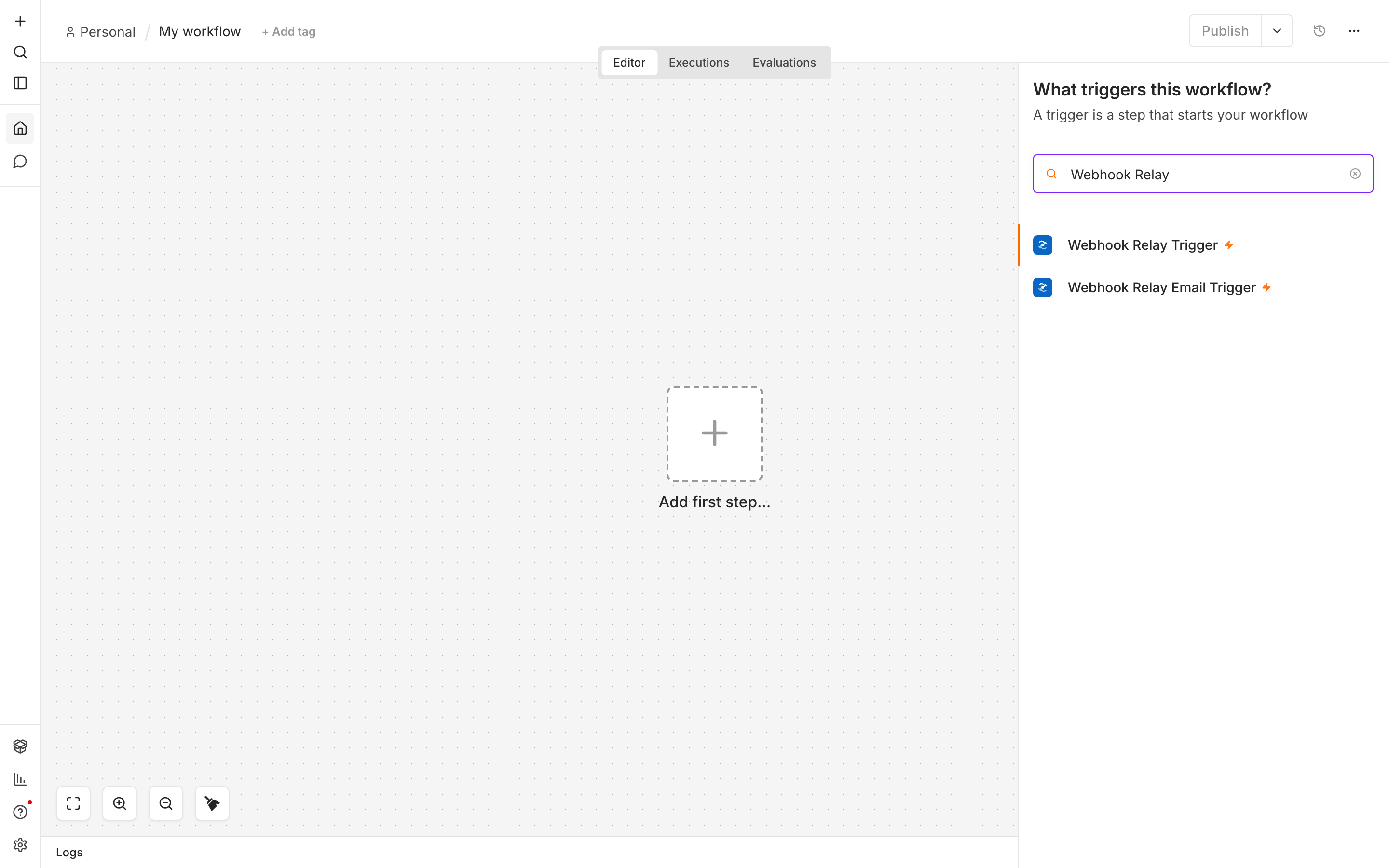
2. Add the credential
Create an API key at my.webhookrelay.com/tokens, then in the node click Set up credential and paste it into a Webhook Relay API credential.
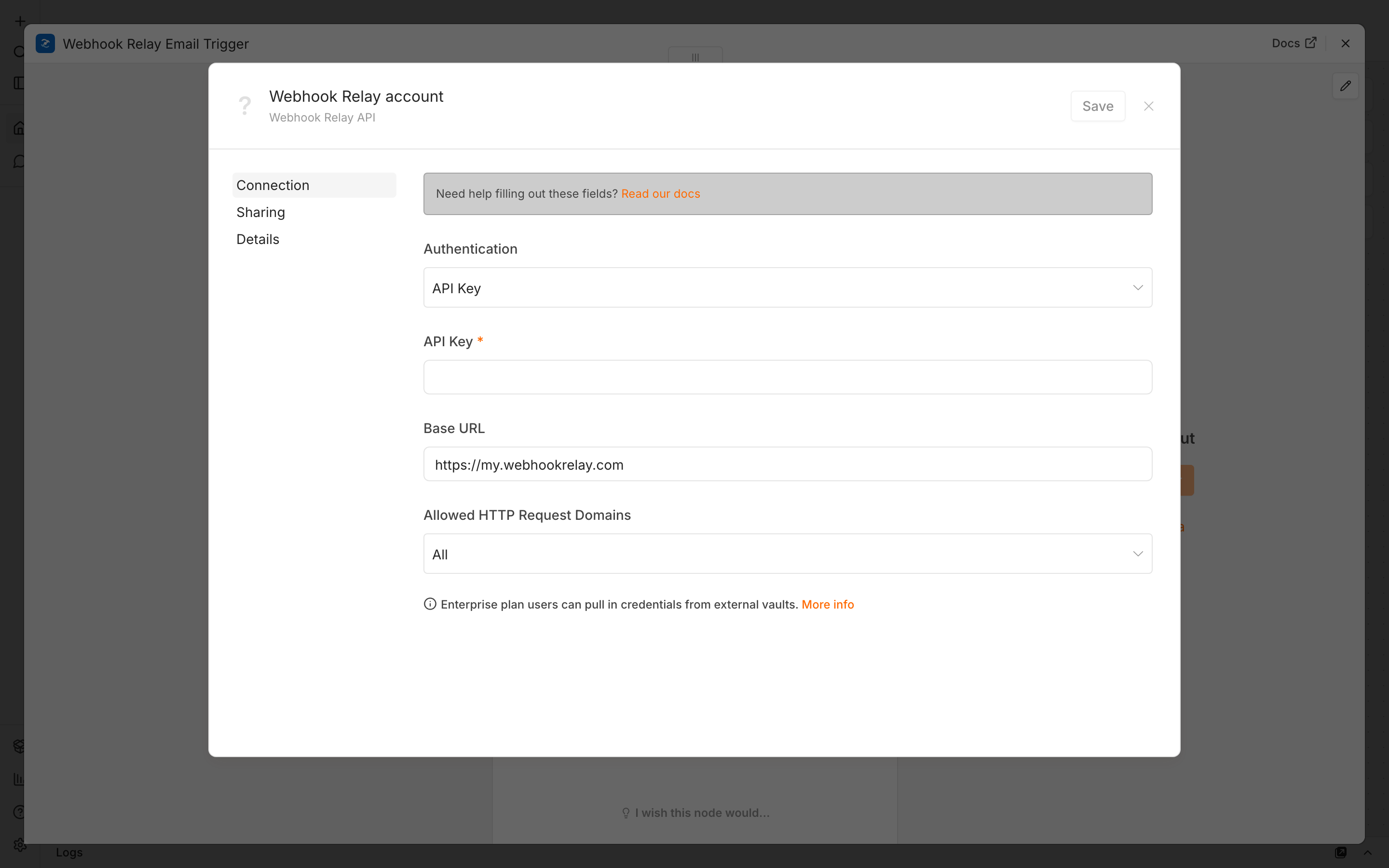
3. Configure the trigger
Give it a Bucket name (e.g. n8n) — created automatically. Optionally set Endpoint Authentication (Basic or token) and the Response returned to the sender. Open the Public URL field to get the URL to hand your provider (https://<id>.hooks.webhookrelay.com).
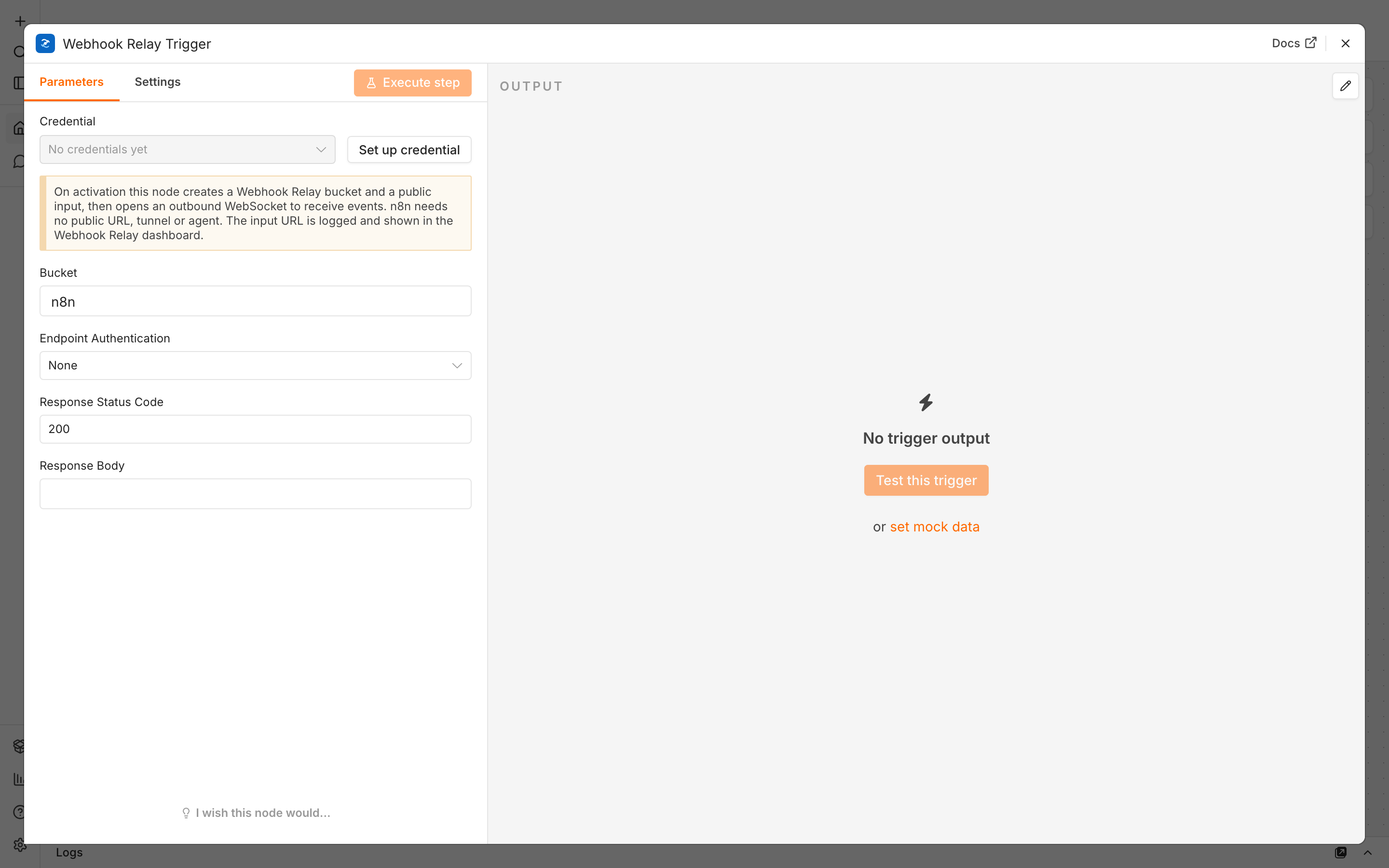
4. Activate and test
Activate the workflow, then send webhooks to that public URL. Requests appear in the Webhook Relay dashboard and flow into n8n over the socket; the body, headers, query and method are all available to downstream nodes.
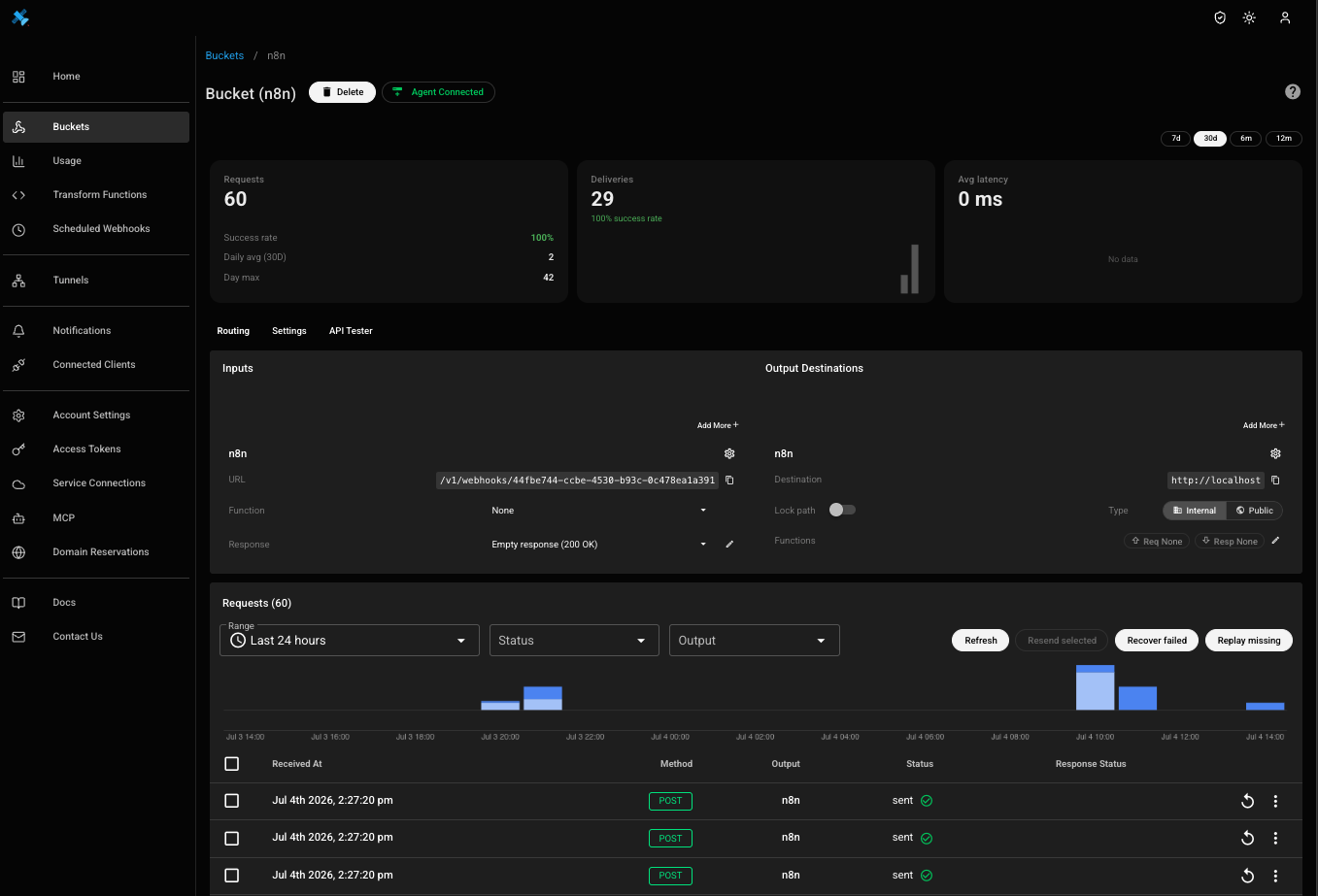
Test vs activate: Test this trigger captures a single event so you can build the workflow, then stops — that's expected. Activate the workflow to receive events continuously. The connection keeps itself alive with a ping every 15 s and reconnects immediately if it ever drops.
Throttle or rate-limit delivery: the node creates an internal output on the bucket; open it in the dashboard to pace delivery (throttling) or tune per-output options without touching the node.
Get started
Create a free Webhook Relay account, install the node, and receive webhooks in on-prem n8n in a few minutes — no public IP required. Receiving email instead? See the n8n Email Trigger.