

n8n Email Trigger (Inbound Email)
Trigger n8n workflows from inbound email — no IMAP, mail server or polling. Get a unique address, parsed to JSON and streamed to self-hosted n8n.
The usual way to receive email in n8n is the IMAP node, which polls a mailbox you have to own and configure. The Webhook Relay Email Trigger skips all of that: it gives you a unique inbound address, parses every message to JSON, and streams it to n8n over an outbound WebSocket — no IMAP, no mail server, no polling, and n8n is never exposed.
If you haven't installed the node yet, follow steps 1–2 of the Webhook Trigger tutorial (install n8n-nodes-webhookrelay and add the API-key credential) — the same credential works for both triggers.
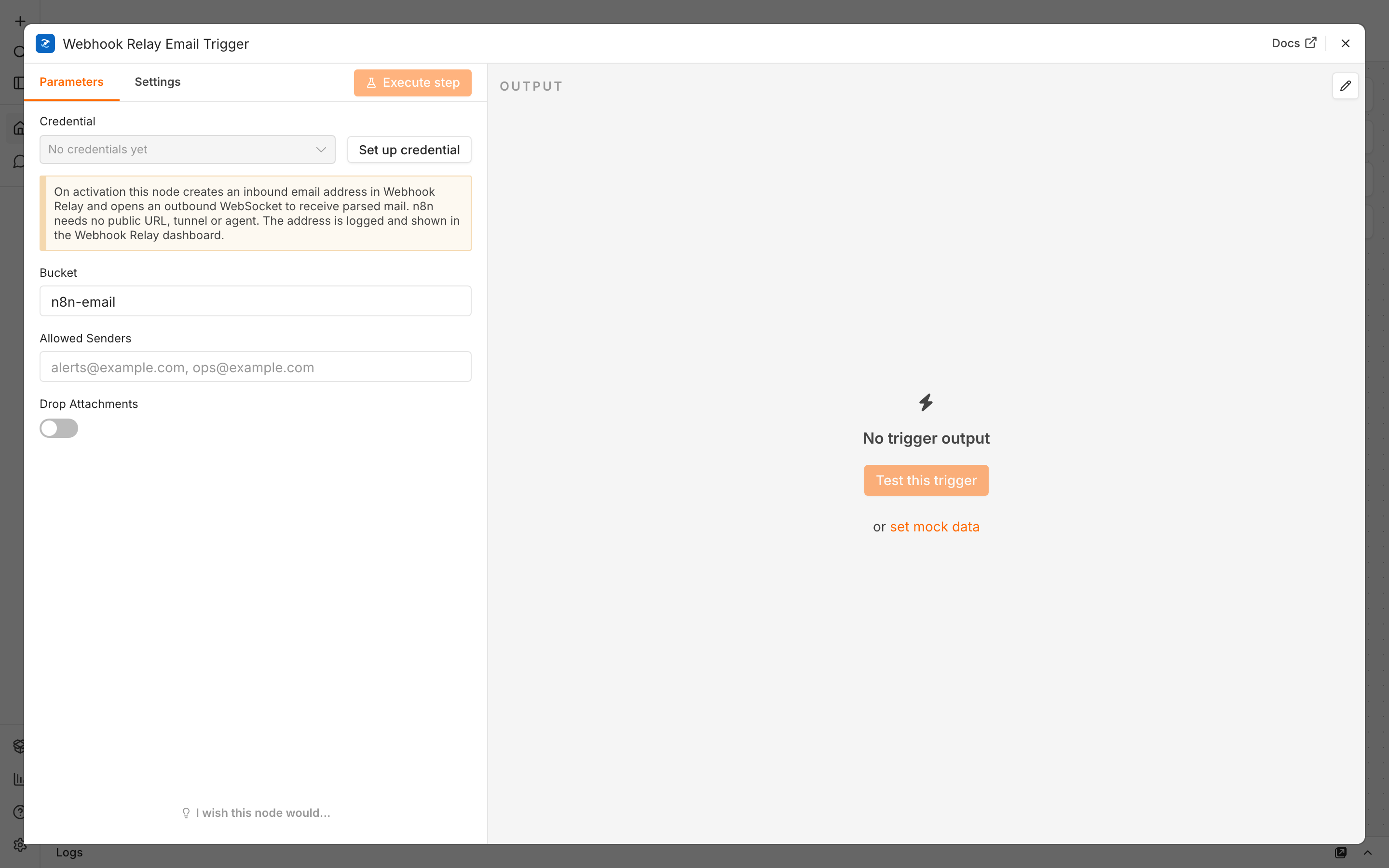
1. Add the Email Trigger
Add a Webhook Relay Email Trigger, give it a Bucket name (e.g. n8n-email), and optionally restrict Allowed Senders. Open the Email Address field to get your unique inbound address (<uuid>@in.webhookrelay-mail.com).
2. Send a test email
Activate the workflow, then send an email to that address from any client.
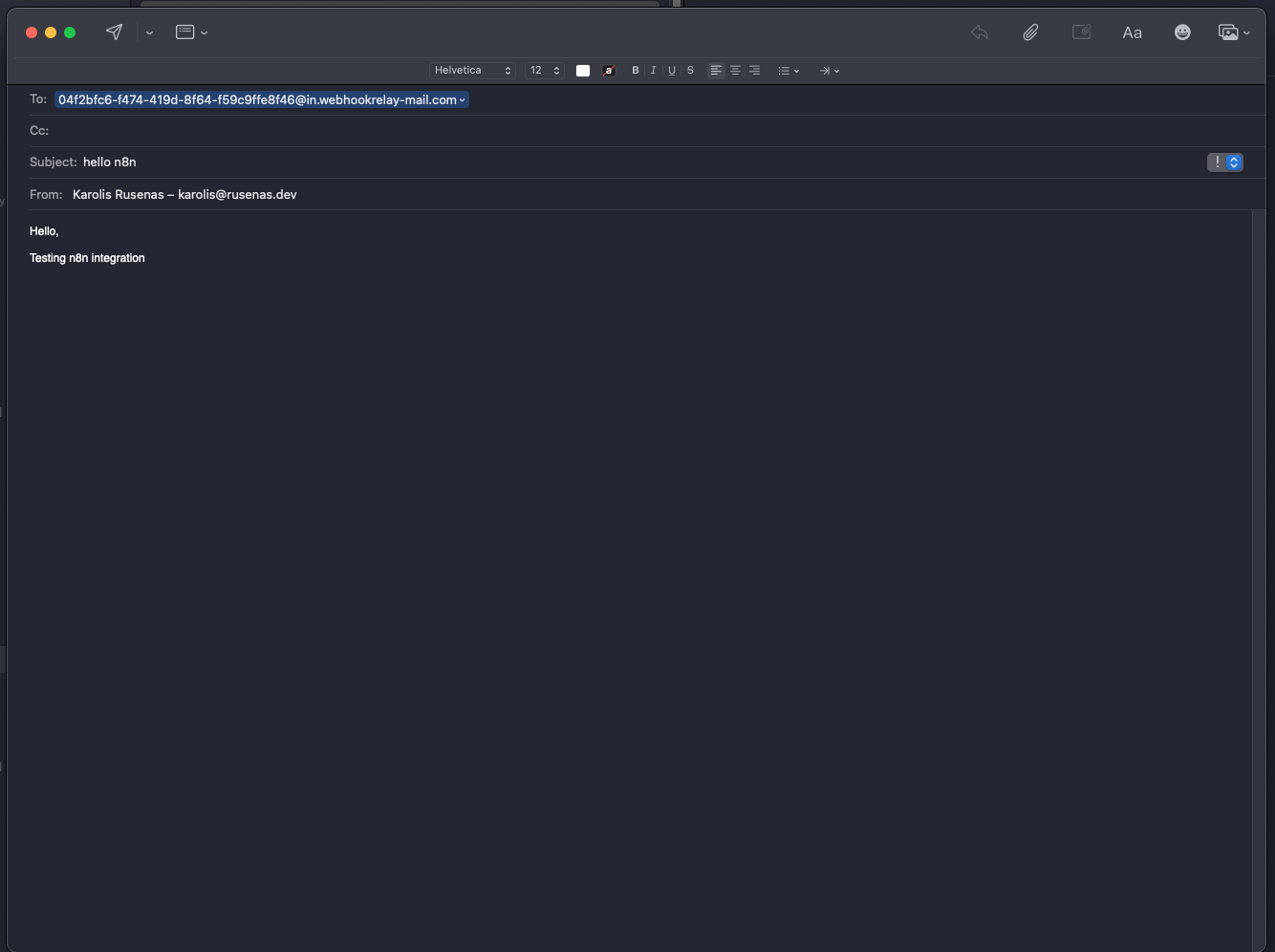
3. Watch it arrive
Within a second or two the parsed message reaches n8n. Each email arrives as structured JSON — from, subject, text, html, attachments, spf/dkim/dmarc and the full headers map — ready for downstream nodes. You can inspect exactly what was received in the dashboard.
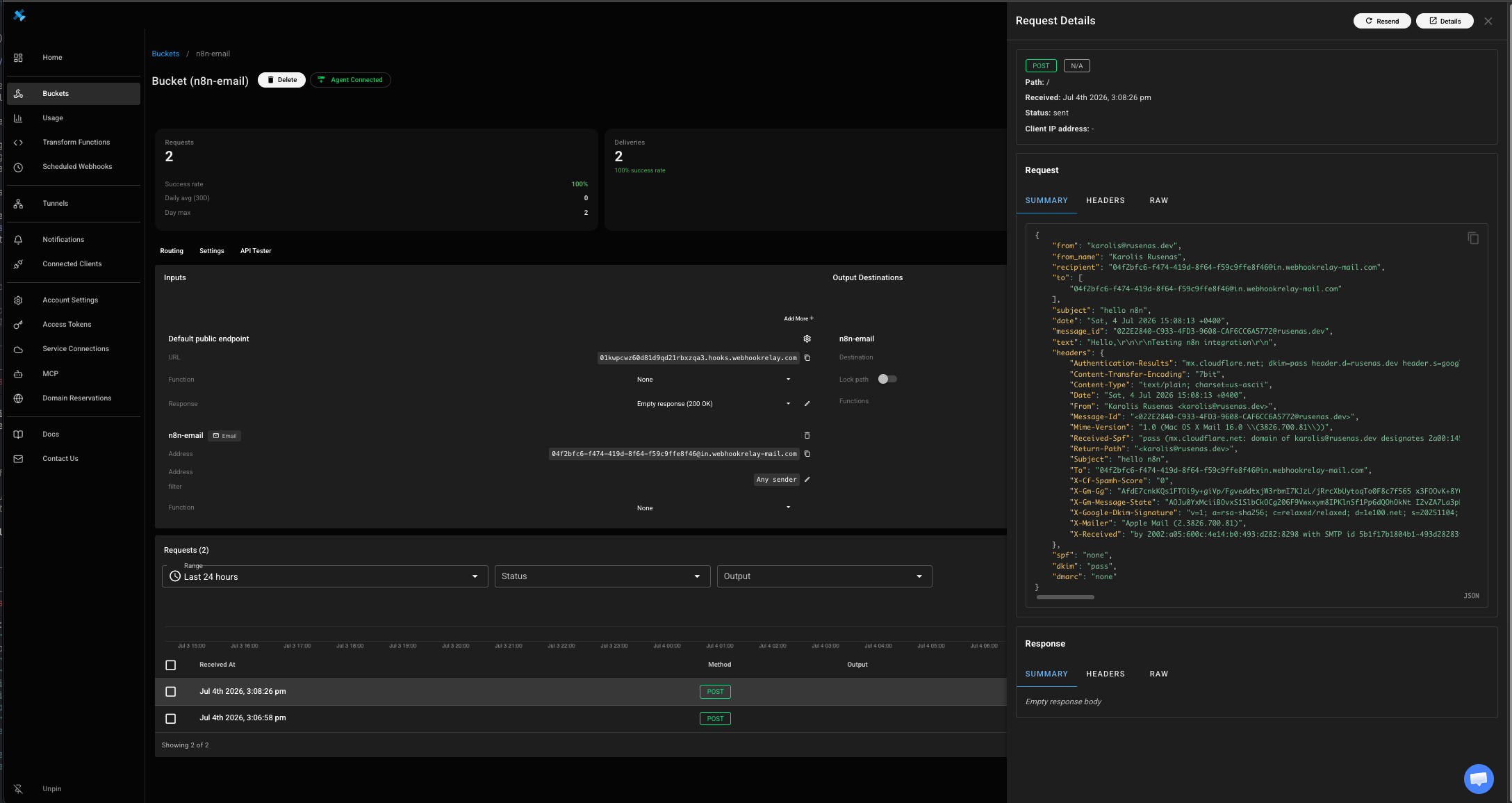
{
  "from": "[email protected]",
  "from_name": "Jon Snow",
  "recipient": "<uuid>@in.webhookrelay-mail.com",
  "subject": "Order #4821 confirmed",
  "text": "plain body",
  "html": "<p>html body</p>",
  "spf": "pass",
  "dkim": "pass",
  "dmarc": "pass"
}
See the full payload reference for every field.
Get started
Create a free Webhook Relay account, add the Email Trigger, and turn support requests, alerts and form submissions into n8n workflows — no IMAP or mailbox required. Receiving HTTP webhooks too? See the n8n Webhook Trigger.